Activation of the account on the eFOB employee portal
The first step to start working is to activate your account in the system.
A link to activate the account is sent to the employee's e-mail address.
To activate your account, click the ACTIVATE ACCOUNT. button
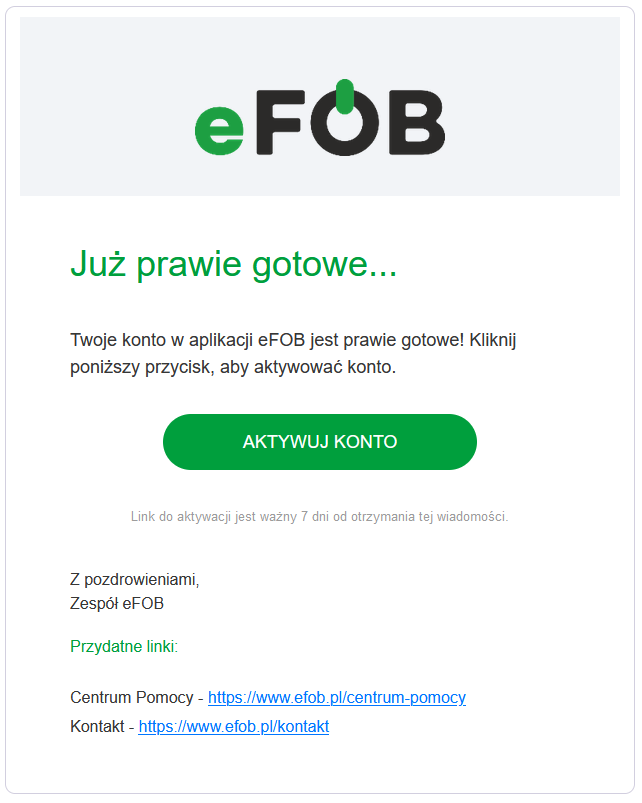
Picture 1. E-mail with a link to activate your account
After going to the page indicated by the link, you should:
– provide date of birth,
– create a password for your account in the application,
– confirm reading and acceptance of the Privacy Policy and Terms of Service (acceptance is necessary to activate the account).
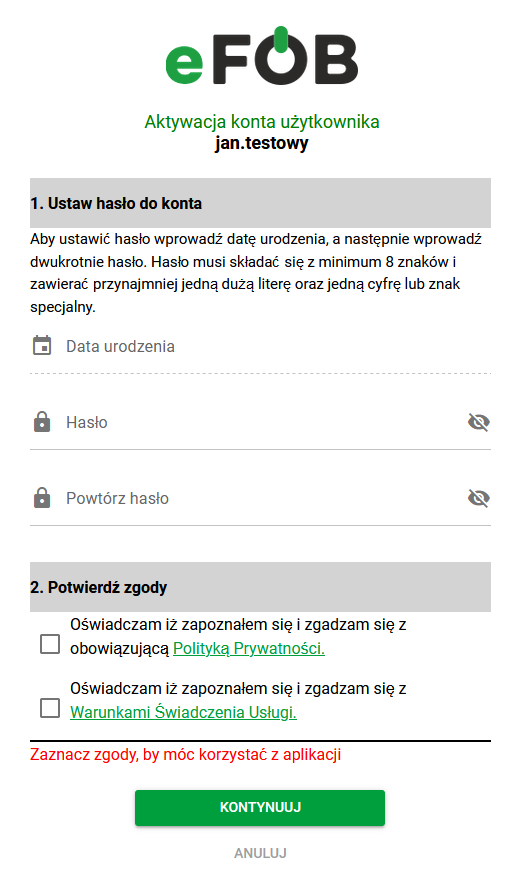
_Fig 2. Account activation window _
The password you create must be a minimum of 8 characters and contain at least one uppercase letter and one number or special character.
After entering all required data, click the CONTINUE button.
Successful activation will be confirmed by a displayed message and receipt of an e-mail.
To log in to the application, please provide your login (received in the account confirmation email) and the account password you created.
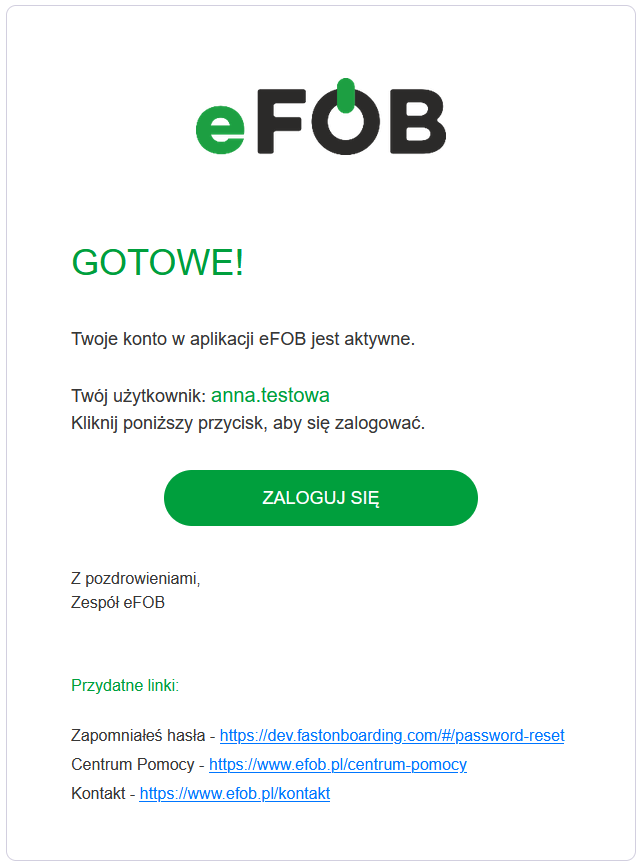
_Fig 3. E-mail confirming account activation _