eFOB 3.3.0 - News October 2026
eFOB 3.3.0 adds account creation when users first sign in with Microsoft and bulk editing of uploaded file details. It also expands the tools for preparing document templates and managing case types from the Process Library.
Employee accounts created at Microsoft sign-in
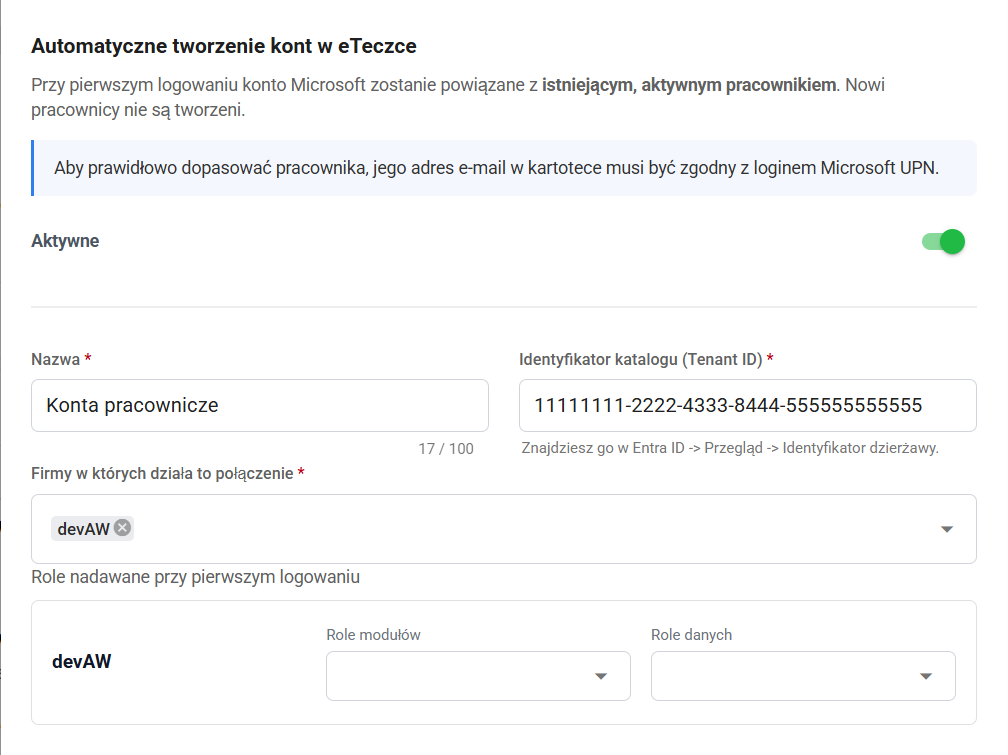
Administrators no longer need to create an account for each employee manually. Once a Microsoft Entra connection is configured, the system can create an account at the first Microsoft sign-in and grant access to the relevant companies and selected roles.
The employee must already exist in eFOB, and their personal email address must match their Microsoft login. A Microsoft account alone does not grant access. Matching requires an existing employee record in a company covered by the configuration.
For setup, data requirements, and access checks, see Microsoft and Google sign-in with automatic account creation.
Bulk editing of uploaded file details
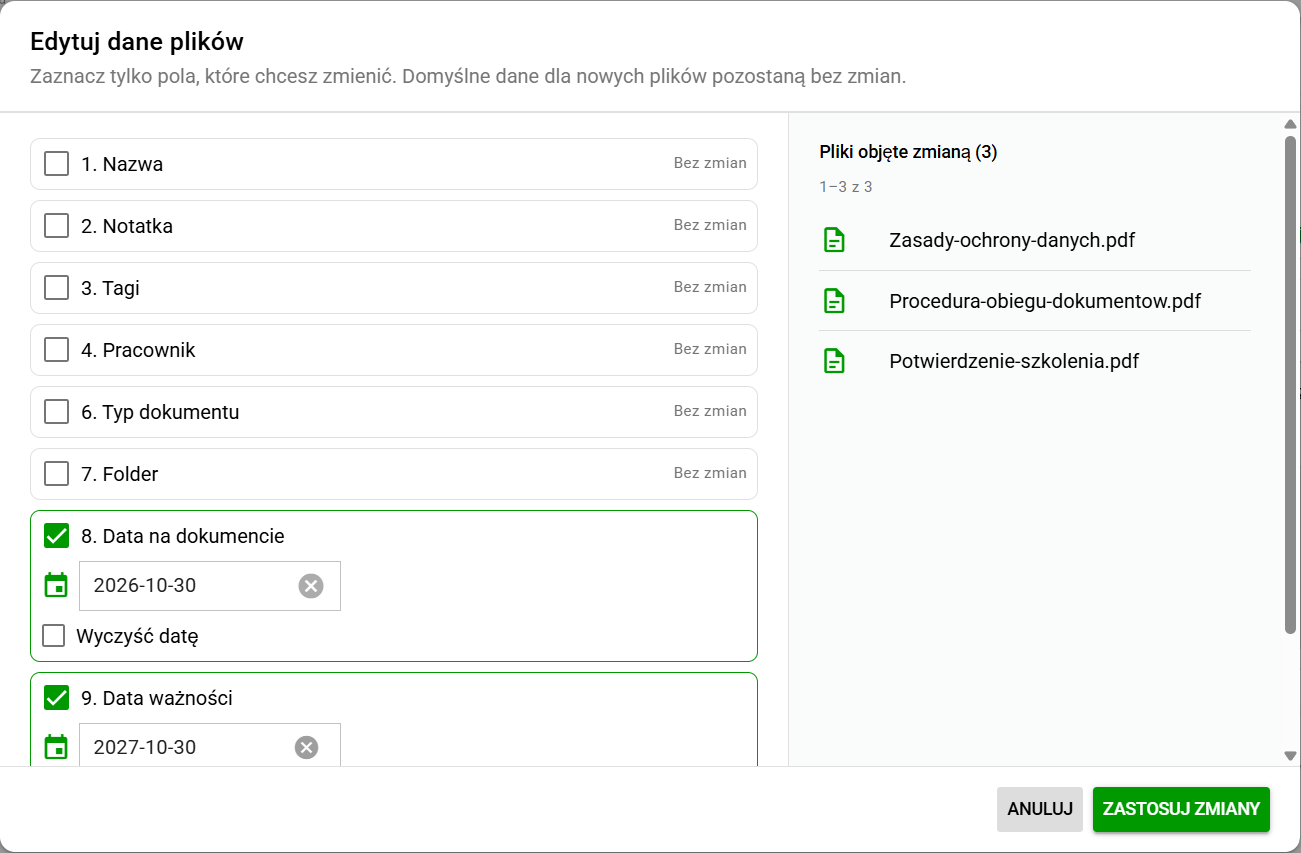
The document upload screen now supports expiration dates and file tags. Bulk editing lets users change selected details for multiple files before saving them, such as the employee, document type, folder, document date, or expiration date.
Users enable only the fields they want to change. Other values stay unchanged. Settings for files already added are separate from the defaults used when adding more files.
For selecting files, clearing values, and saving changes, see Bulk editing file details.
Suggestions and more options for document templates
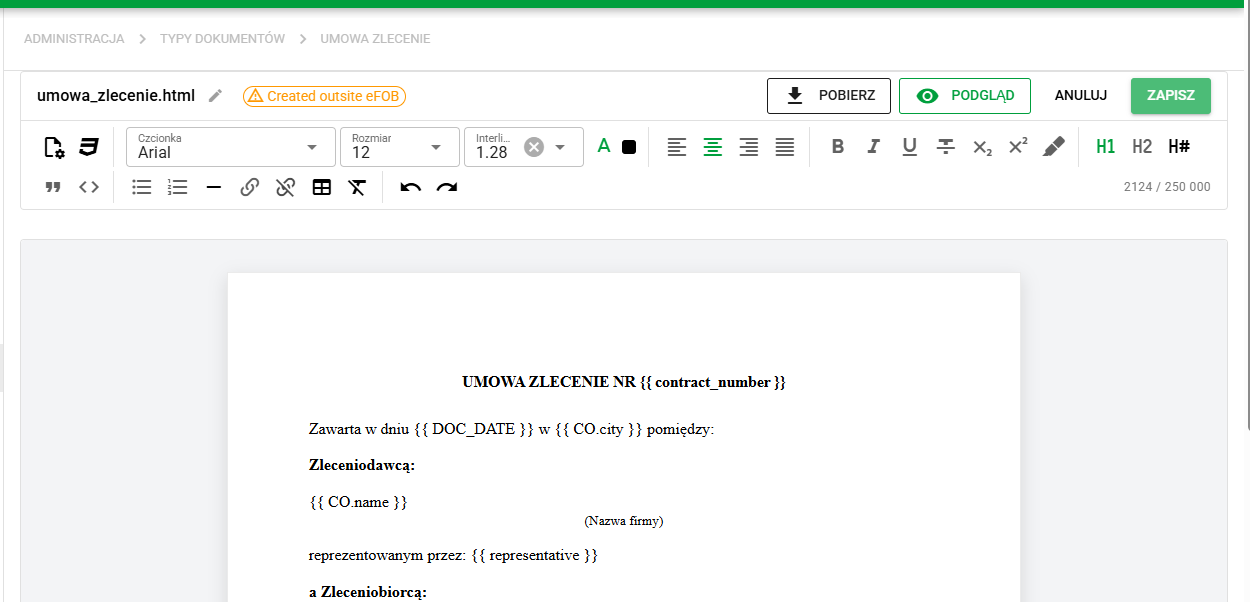
The HTML template editor suggests fields and functions as users type. A searchable catalog helps users find a value and insert a usage example. Added image pasting, a file-size counter, and checks for template and embedded-image limits.
Templates can write amounts in words in Polish zloty, combine address parts into a full address, and choose salutations and word forms based on gender data. Fields for positions and employers assigned to the employee are also available.
For examples and limits, see HTML template editor.
Managing case-type versions
Administrators can now deactivate case types from the Process Library. When installing a newer version, the app asks for confirmation before replacing the active definition, including definitions that have been modified locally. When copying a case type, administrators can choose whether the copy should be active or inactive.
For preparation and the effect on existing cases, see Updating a process from the library.
Folder tree in administration
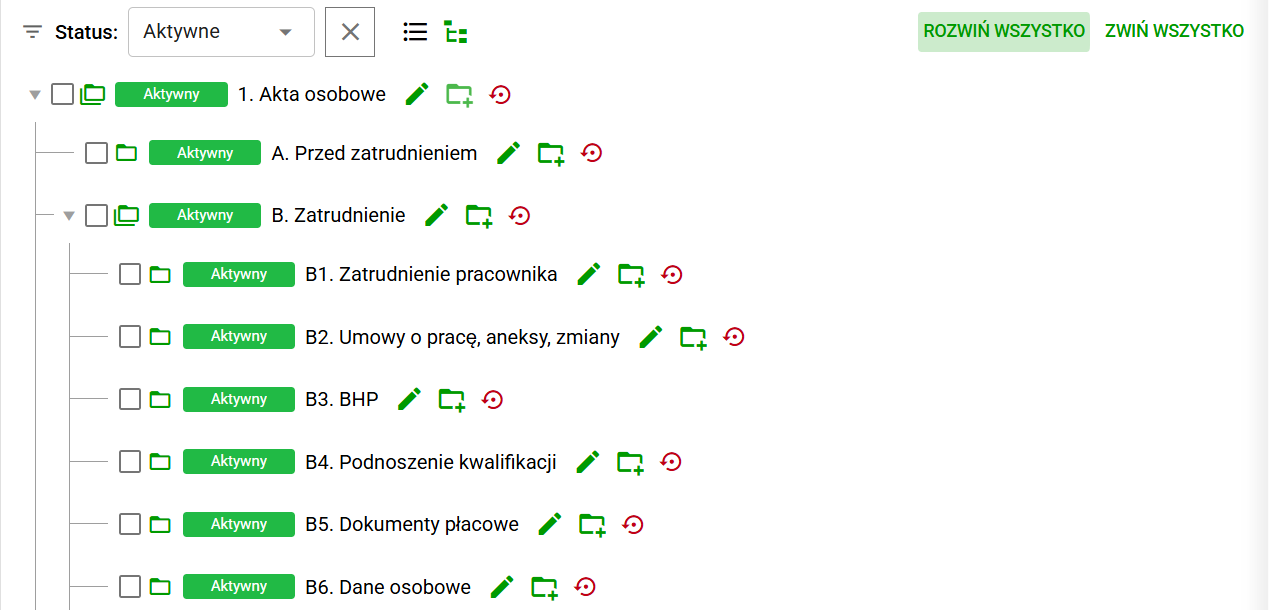
The folder dictionary can switch from a list to a tree view to show how folders relate to each other. Users can expand and collapse branches and add a subfolder directly under a selected parent folder when its settings allow it.
For switching views and adding subfolders, see Maintaining a folder hierarchy.
Fixes and minor improvements 🛠
- Employees / Excel import: Fixed updates by employee ID and preservation of data not changed by the import, including addresses and assigned employers.
- Document generator: Fixed document generation with large Excel datasets, retries, and error messages.
- Administration / Users: Expanded the view of account links to employees, companies, and Microsoft accounts.
- User sessions: Improved separation of local browser settings between user accounts and companies.