eFOB 3.2.0 - News October 2026
eFOB 3.2.0 adds more options for creating cases and configuring forms. It also makes it easier to select documents for positions and import and synchronize employee data.
Key changes:
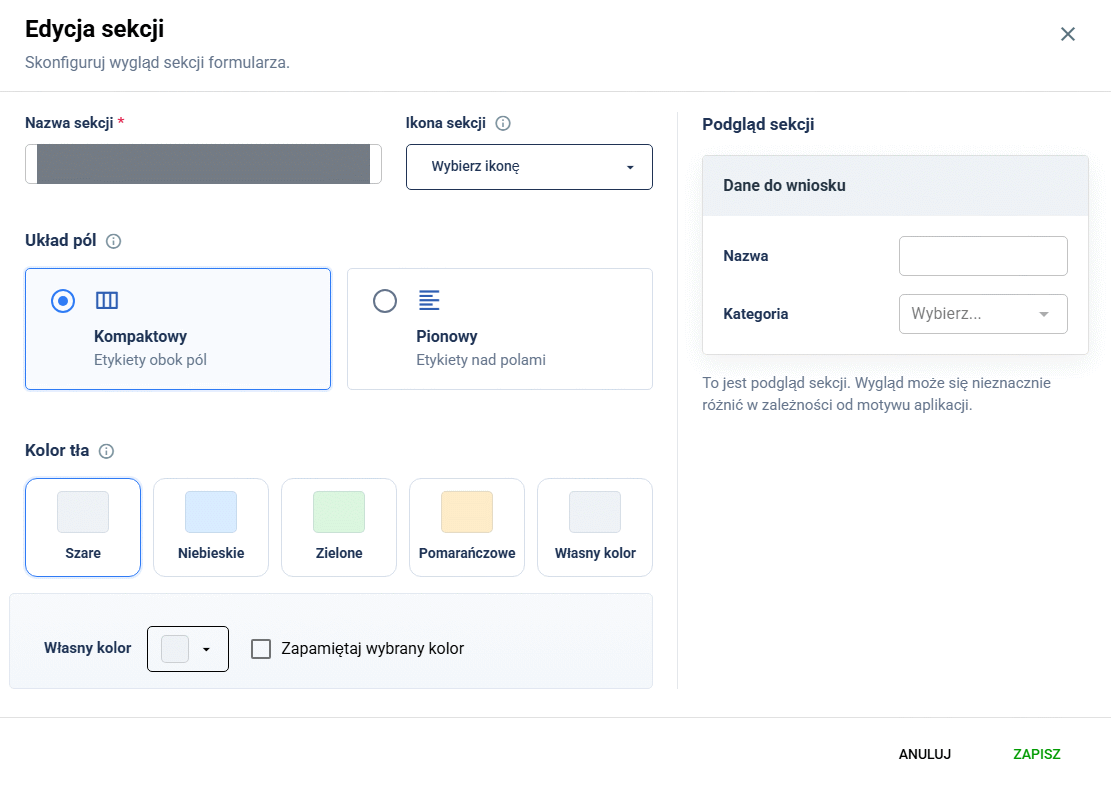
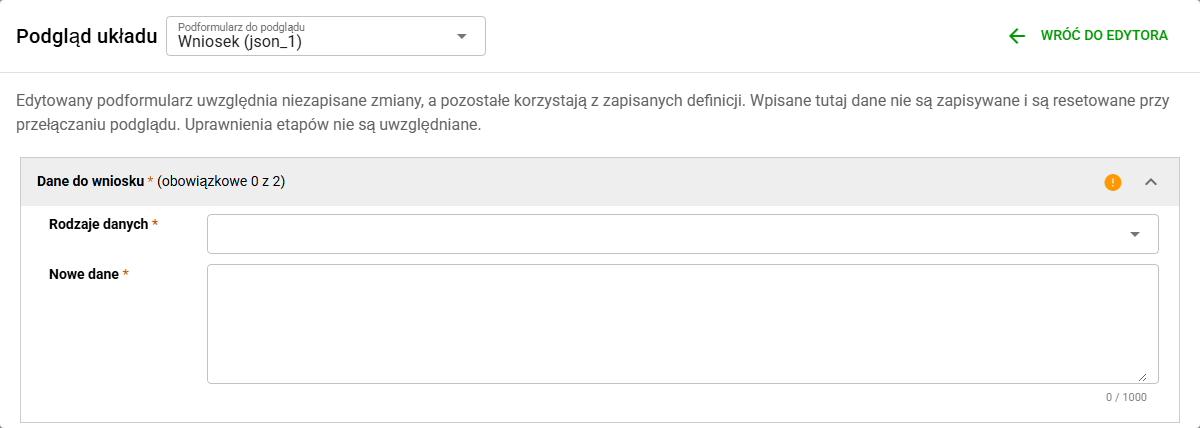
- separate field layouts for case form sections, with a preview,
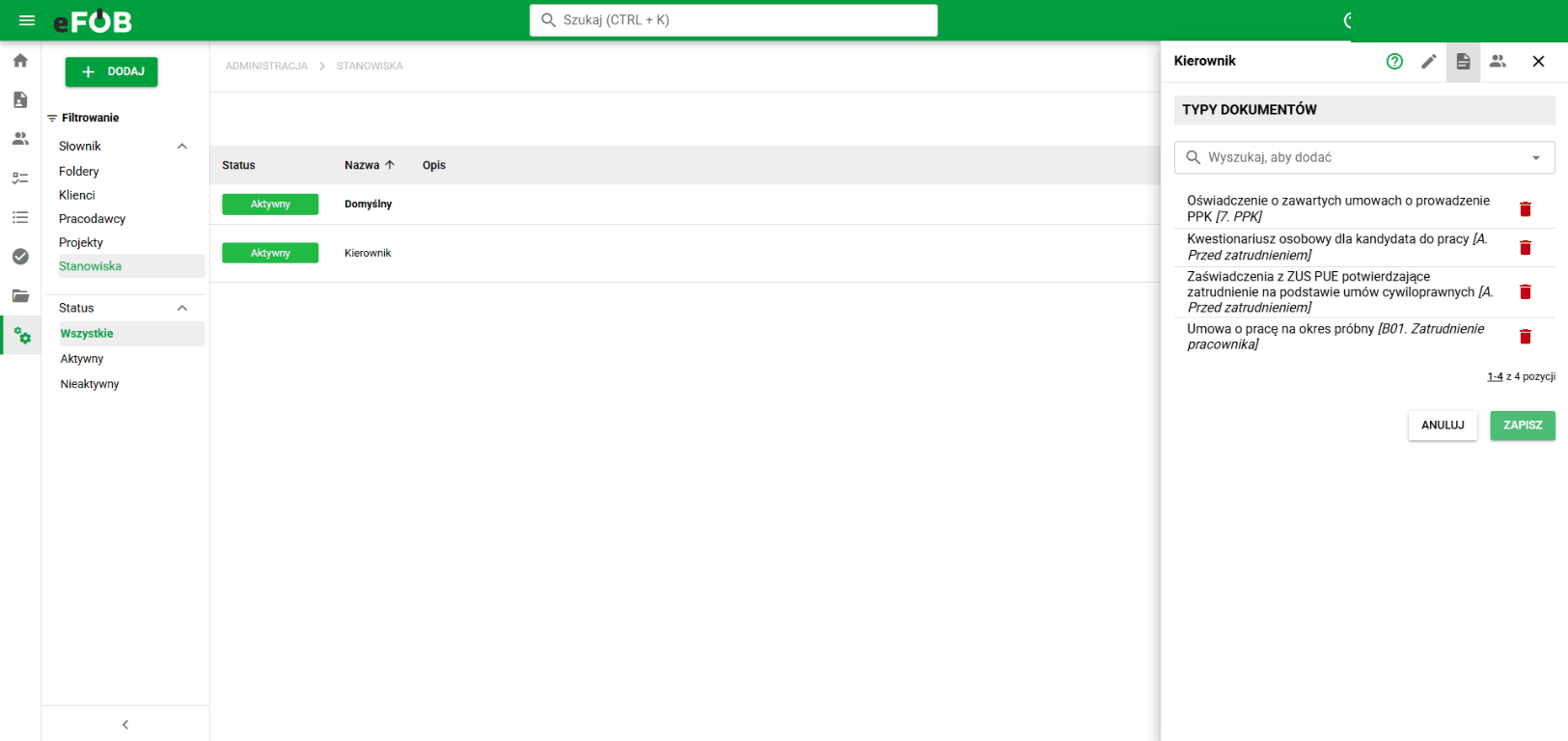
- position-based document sets in the document generator,
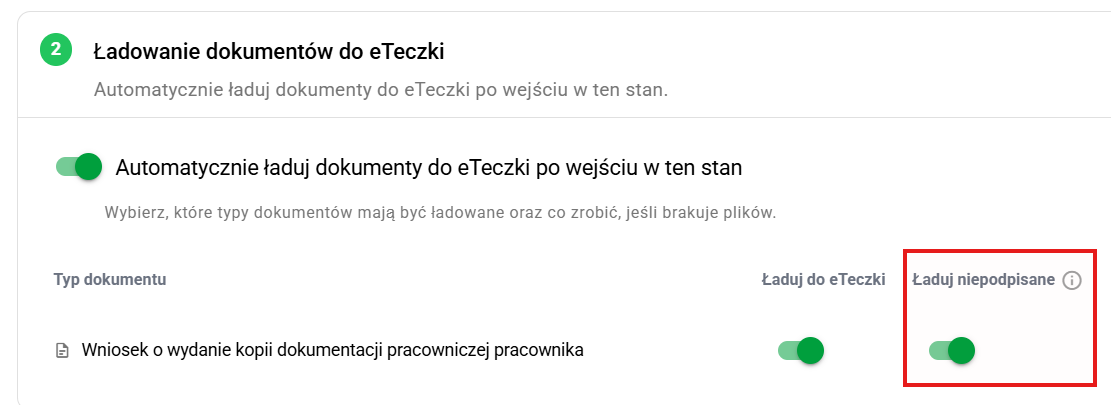
- automatic eFile loading for unsigned documents,
- completing employee dates of birth from PESEL numbers during imports and synchronizing employees from Teta by PESEL,
- creating cases from a link shared by a client system,
- interactive guides in the help panel to help new users get familiar with the system.
Case form layouts
Administrators can configure field layouts separately for each form section. The form preview helps them check the layout before saving changes.
Position-based document sets
The document generator supports sets assigned to positions. This makes it easier to select the documents needed for a position when preparing them.
Automatic document loading
Automatic eFile loading settings now support loading unsigned documents. The Load unsigned option is available in the case type configuration, in the Transitions area, in the Edit state window for the Loading documents into eFile state, in the Loading documents into eFile section.
Employee imports and synchronization
When importing employees from Excel, the system can complete a missing date of birth from the PESEL number. Employee synchronization from Teta can also match employees by PESEL.
Create cases from a link
The link provides the information needed to open the form in the right organization and select the case type. It can also specify an employee. eFOB opens the form with those details selected, and the user completes the remaining fields and submits the case.
This feature lets you connect eFOB with an external HR system. Example: the employee record in the client's HR system has a "Create case in eFOB" button. The HR system builds the link dynamically, inserting the company code, the employee identifier and the case type code. If the organization uses SSO login (for example via Microsoft), the user lands directly in the new case form in eFOB for that employee – without logging in again, searching for the company and employee, or selecting the case type. An HR case can be started in seconds, right from where the user is already working.
Example link that opens a case for an employee identified by the first external identifier:
https://<eFOB-address>/#/cases/new?companyCode=<company-code>&externalId1=000123&caseTypeCode=KOM
For a full description of the parameters, validation rules and more examples, see Opening a new case from an external system.
Interactive guides in help
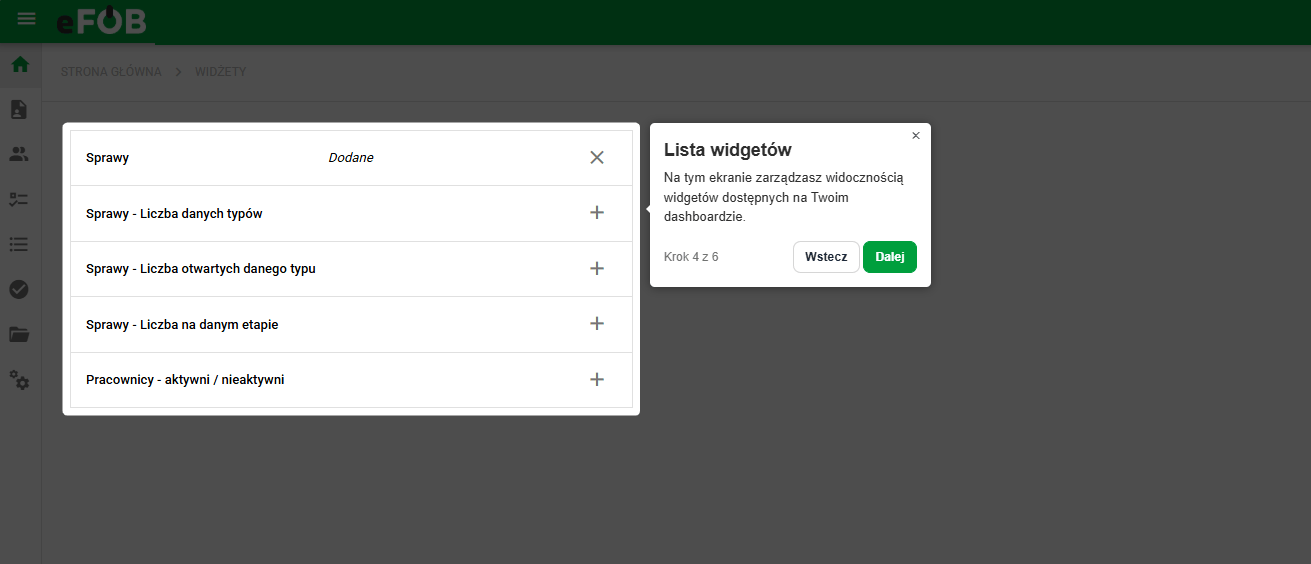
The help panel includes contextual and general guides. Users can resume a paused guide or restart one after completion. Progress is saved to the user's account, so a guide can be continued after signing in on another device.
More guides will be added over time to help new users get familiar with the system.
Fixes and minor improvements 🛠
- Documents / PDF signatures: Fixed signature status updates and handling of read errors in signed documents.
- Administration / Dynamic columns: Fixed issues when referencing dynamic columns.
- Administration / Users: Added user search by login.
- App / PWA installation: Added an eFOB installation prompt with instructions for adding it to the home screen on iOS and iPadOS devices.
- Document generator / Permissions: Fixed document-type permissions when selecting document types, downloading templates, and generating documents.
- Administration / Document imports: Added automatic status refresh while document import tasks are queued or running.
- Security: Aligned Content Security Policy headers and improved session handling.