eFOB 3.1.0 - News October 2026
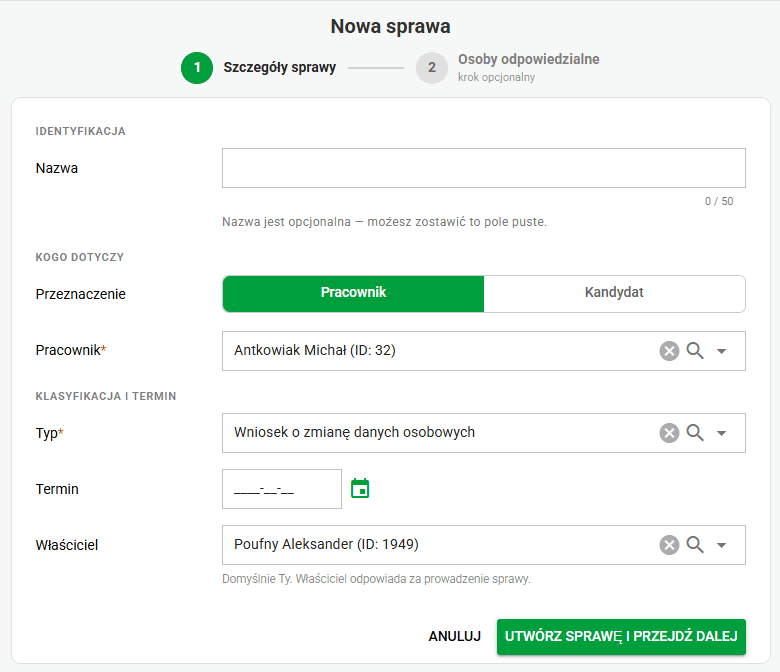
Easier case creation, step by step
A new case creation wizard guides users through each stage of creating a case. The steps adjust to the kind of case, making it easier to enter details and select the people responsible.
Default visibility of qualified signature details
Opening the details window when signing with the built-in Szafir qualified signature lets users place a graphical signature mark at a chosen position in the PDF. The mark is then visible directly on the document. Showing the details does not add the mark automatically — users place it during signing.
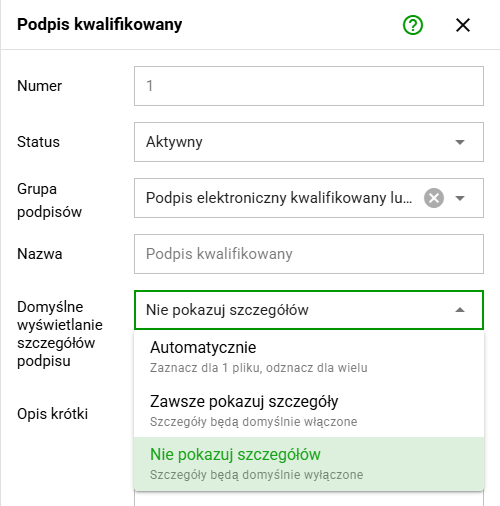
In Administration / Signatures, administrators can choose whether details of the built-in Szafir qualified signature appear by default in the signing window. The available modes are automatic, always show and hide details. Automatic mode shows details when signing one file and hides them for multiple files.
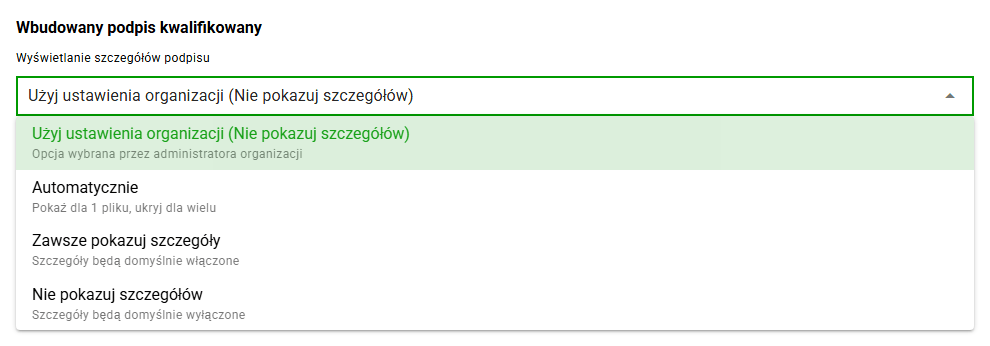
For the built-in Szafir qualified signature, users can keep the organization setting or choose their own mode in local settings. The preference applies when signing documents, including documents in cases.
Access deactivation after a contract ends
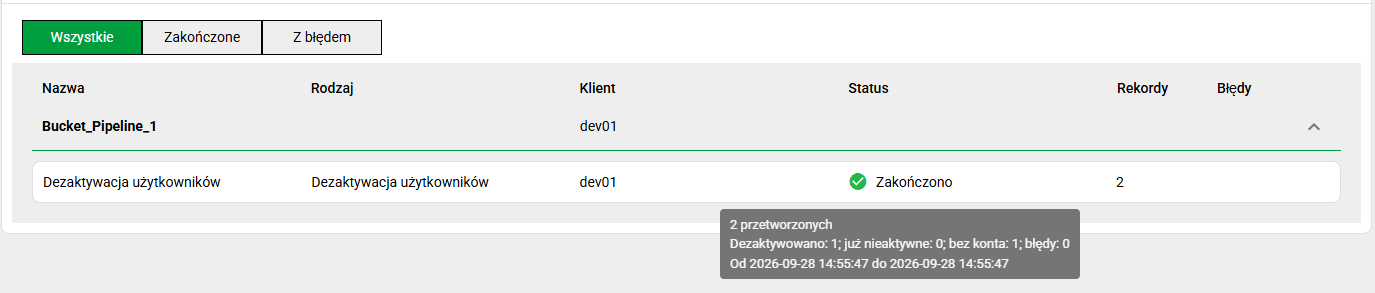
A "User deactivation" task type has been added in eFOB Admin. The task is available for selected integrations, currently for the Teta system. Administrators can set its order in the synchronization process and run it on a schedule. They can also allow manual execution.
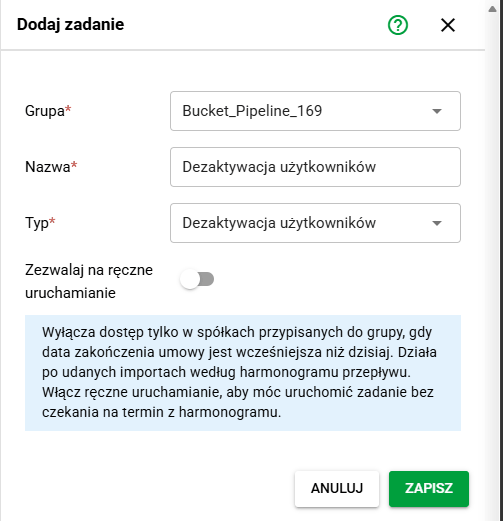
The task checks contract end dates in the assigned companies. It disables an employee's access to a company when the contract end date is earlier than the current date. Execution results appear in synchronization logs, and access changes are recorded in the audit log.
Fixes and minor improvements 🛠
- Cases / Permissions: When selecting the people responsible for a case, the list of available roles also accounts for access denials for that case type.
- Administration / Cases: Restored typing spaces in form section names. Improved line and label contrast in the transitions graph, widened notification selectors and adjusted the layout for long names. The case preview now shows the current state more clearly and includes a button to return to transition configuration.
- Cases / Configuration export: Case type exports select the current version of each form field and omit deleted fields. Historical versions no longer create duplicates or restore outdated subforms on import.
- Documents / Security: If a scan does not return a clear result, the system does not mark the file as safe. Also improved cleanup of the temporary file after scanning. Concurrent changes to names, file order or document metadata do not overwrite current scan results. Also strengthened protection when reading XML files during document imports.
- Permissions / Data editing: Made permission checks consistent for case and document operations, including document deletion and access to notes. Users with read-only access can view a selected OCR region but cannot change it or save the recognized value. Saving changes to employee and case import templates requires permission to edit the selected template.
- My cases / Qualified signatures: Restored the display of the qualified signature date on documents in a case. The date remains visible when data is reloaded after signing a document.
- Documents / PDF signature status: Added an administrative tool to correct statuses of documents left marked as requiring review after a specific signature parsing error. The correction requires another integrity check of the signed file and does not change its content. The tool does not check certificate trust or revocation, and it does not run automatically.
- Documents / Folders and document export: Corrected default export codes and values for the "Document type in document export" field. Added an administrative tool to synchronize all or selected folder settings in existing companies, with a preview before saving. Also fixed listing and restoring folders in the Recycle Bin, with the appropriate permission checks.
- Employees / Active status: Active status now accounts for both the contract start and end dates. An employee with a future start date remains inactive even when an end date has been entered. Both the start and end dates count as active days.
- Administration / Users: Fixed adding a user to a company when their settings already exist. The operation preserves saved preferences instead of trying to create them again.
- Audit: Improved recording of sign-ins, sign-outs and failed sign-in attempts, including requests with incomplete data. Reduced unnecessary entries for technical SSO account updates while keeping records of meaningful changes.
- Performance: Reduced the number of queries needed to retrieve document and signature group data when calculating signature statuses in cases.