eFOB 2.59.0 - News August 2026
We have deployed eFOB 2.59.0. In this version, we have added the ability to save automatic metadata completion rules in private and public sets and to add a user who already exists in another company in the organization.
Key changes:
- saving automatic metadata completion rules in private and public sets.
- automatic document naming rules for file uploads and the Update name window.
- adding to a company a user who already exists in another company within the same organization.
Automatic metadata completion rule sets
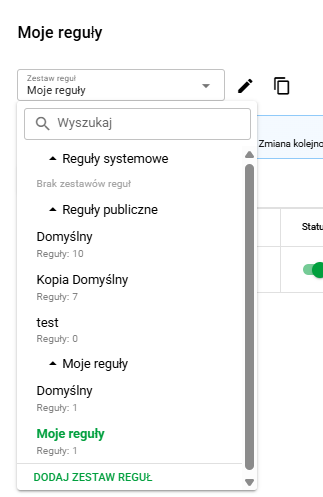
You can now save configurations in named sets in automatic metadata completion rules. This lets you retain proven rules instead of recreating them manually for each subsequent document upload.
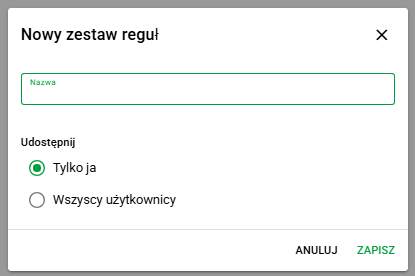
Users can create a private set for their own work or a public set that other authorized people in the organization can use. Access to public sets and the ability to change them are controlled by permissions.
When uploading files, simply select a saved set to apply its rules for automatically recognizing and completing document metadata. This makes it easier to maintain consistent settings in repeatable workflows.
Automatic document naming rules
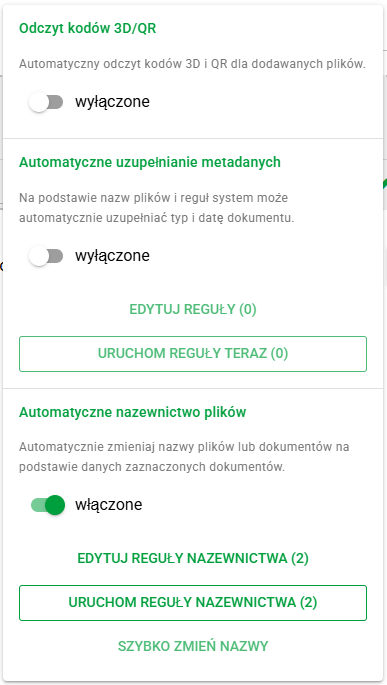
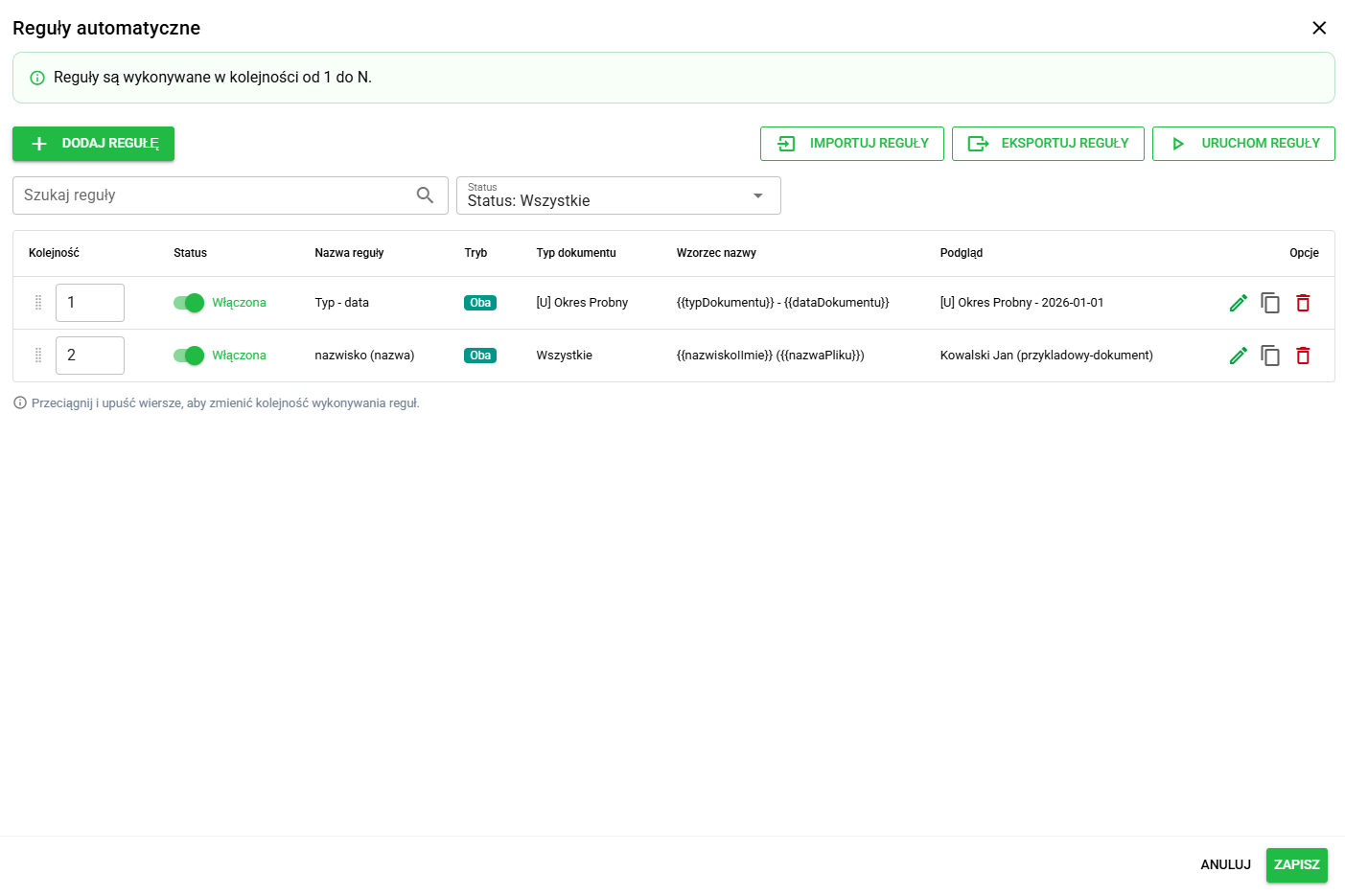
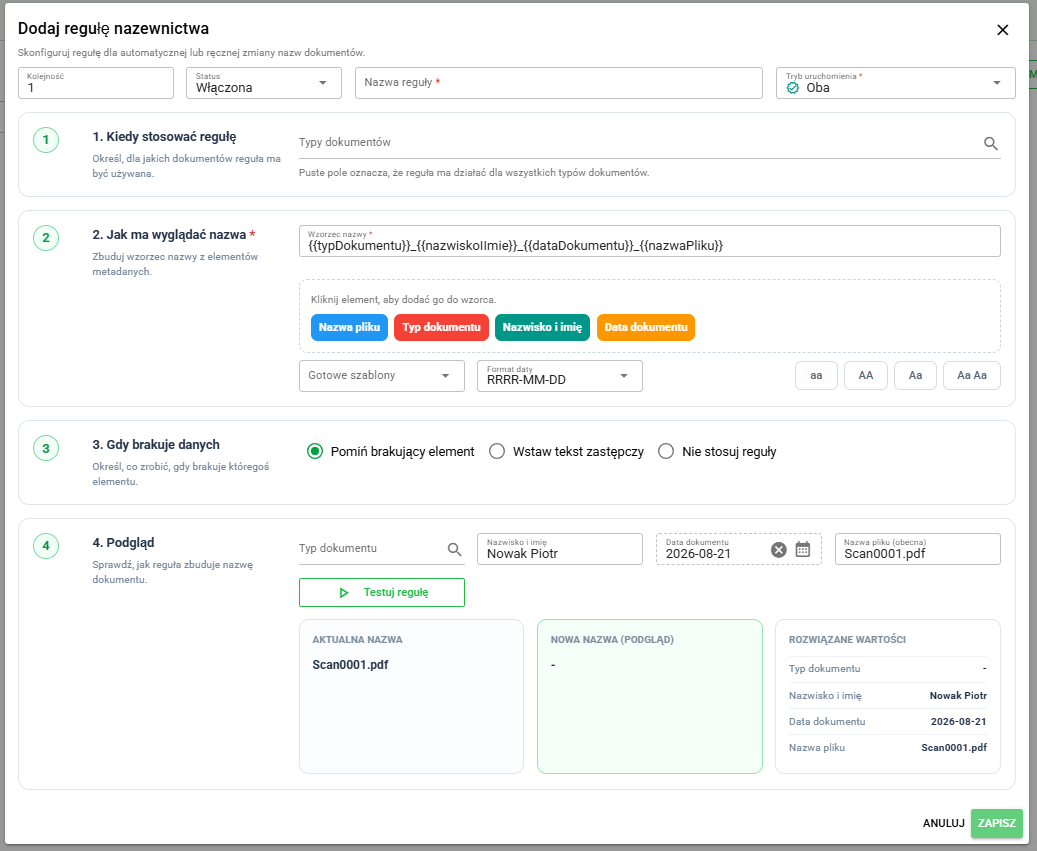
In automatic naming rules, users can prepare their own file-name patterns and use them both while uploading documents and later in the Update name window. This helps keep document names consistent without manually correcting every file.
Rules can use document type, employee data, document date, and the current file name. Users can define when the rule should run, build a naming pattern, preview the result, and import or export ready-made configurations.
Adding a user from another company
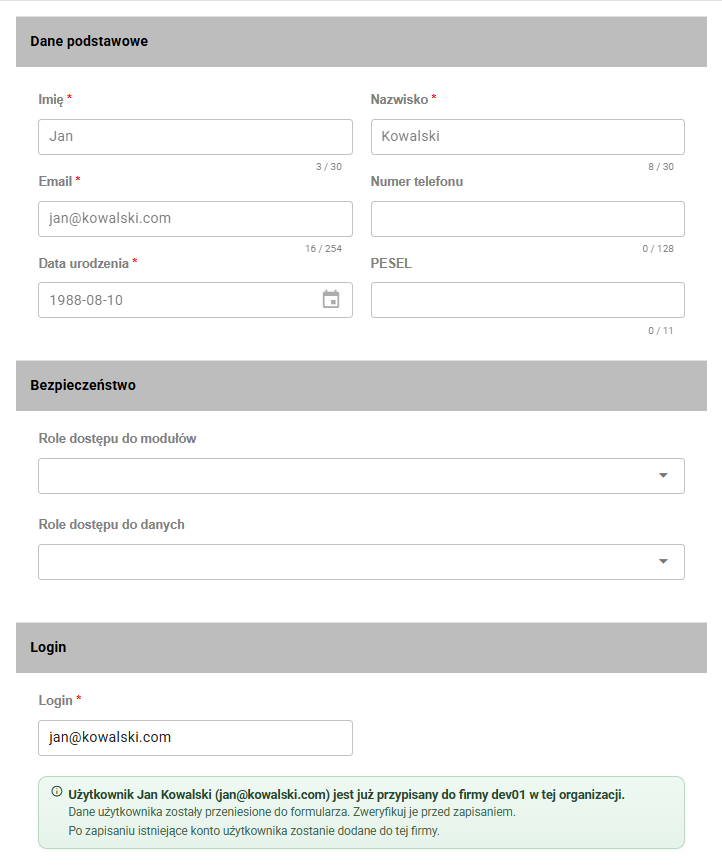
Administrators can now add to a selected company a user who already has an account in another company within the same organization. This avoids creating another account for the same person, makes granting access to an additional company faster, and reduces the risk of duplicate users.
Fixes and minor improvements 🛠
- Administration / Document types / Library: We have added handling for missing folders when importing document types, so administrators can assign them before using the configuration.
- Administration / Document types / Import: We have improved messages and validation for Excel imports, including encrypted or unreadable files and invalid data.
- Administration / Users / Audit: We have expanded the Changes tab with user modification details, making account history easier to review.
- SSO sign-in and password reset: We have improved messages for sign-in issues and password-reset guidance, so users know what to do next.
- Cases / Import and export: We have clarified automatic case-access assignment based on the permissions configured for the case type.
- Cases / Forms: We have fixed bank-account number validation and form display after opening a case from My cases.
- Documents / Upload files: We have added clear read and processing stage information and a warning when the system cannot determine the document type unambiguously.
- Documents: We have fixed the display of files assigned to a document and the list of languages available for a template.
- Interface translations: We have improved translations, particularly Romanian, across the dashboard, widgets, Cases, navigation, and selected administration, import and export screens, making the interface more consistent and easier to understand.
- Employees and candidates / Personal data: We have updated choice lists for identity-document type, marital status, disability level and employment type to better support data used across organizations.