eFOB 2.58.0 - News August 2026
We have deployed eFOB 2.58.0. In this version, we have made case handling more flexible, added a new ready-to-use candidate process, and made it easier to work with case widgets and automatic document metadata completion rules.
Key changes:
- creating cases without initially selecting an employee or candidate, with the option to assign the person later,
- a new "Candidate Statements, Consents and Confirmations" process and updates to selected processes in the Process Library,
- global dictionaries for voivodeships, counties, localities, NFZ branches, tax offices and ZUS in case forms,
- sorting and filtering data in the Cases and My cases widgets,
- identifying employees in metadata rules using their full name or their full name and date of birth.
Cases without an initial person assignment
Administrators can configure a case type where an employee or candidate does not have to be selected when the case is created. This allows a process to start from a report or the available documents, with the appropriate person assigned later after their details have been confirmed.
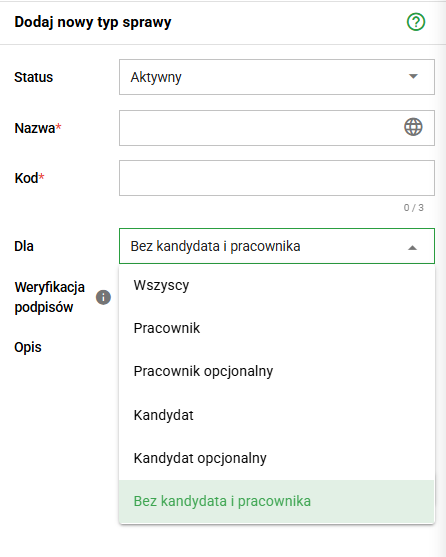
Once an employee or candidate is assigned, the system saves that relationship in the case. Until then, actions that require a specific person, such as transferring documents to the employee's eFolder or sending a candidate access to the case, remain unavailable with an explanation. This allows the process to start earlier without the risk of performing an operation for the wrong person.
New candidate process in the Process Library
We have added Candidate Statements, Consents and Confirmations to the Process Library. The process supports preparing, completing and handling a personal questionnaire for a job applicant.
We have also updated selected ready-to-use processes covering employee statements, changes to employment terms, pay transparency, general reports, and confidential complaints and violations. Administrators can use the current configurations as a starting point for repeatable HR workflows in their organization.
Global dictionaries for case forms
We have expanded the set of ready-to-use global dictionaries with data for voivodeships, counties, localities, NFZ branches, tax offices and ZUS. Administrators can select the appropriate dictionary as the option source for a Choice list or Multiple choice list field in a case form.
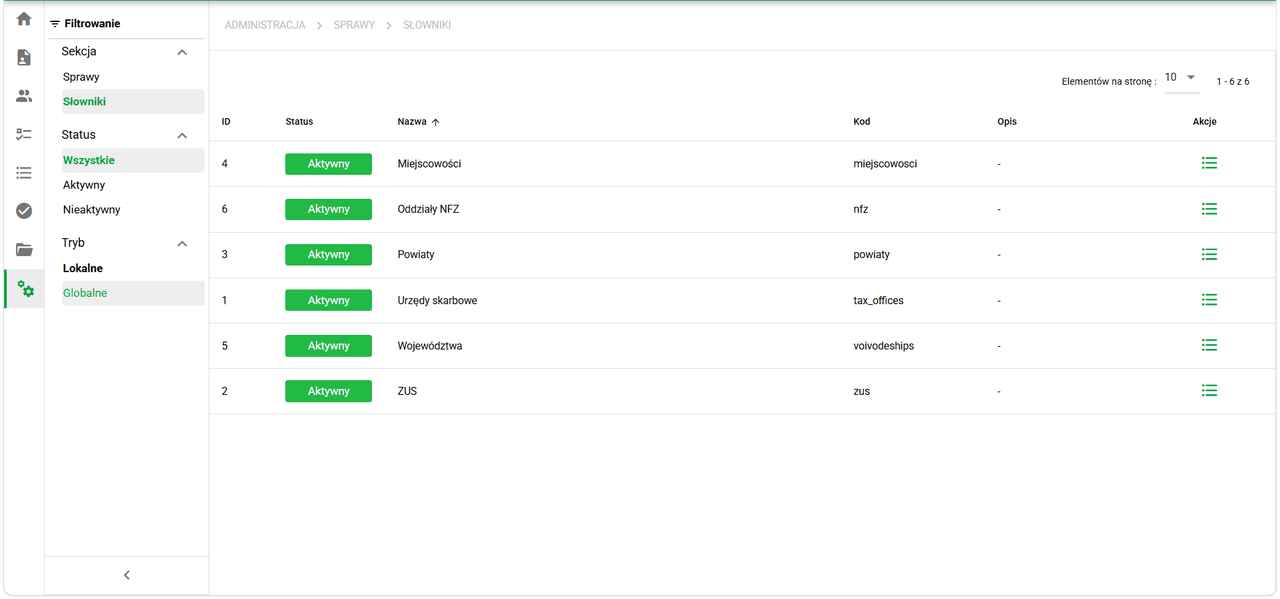
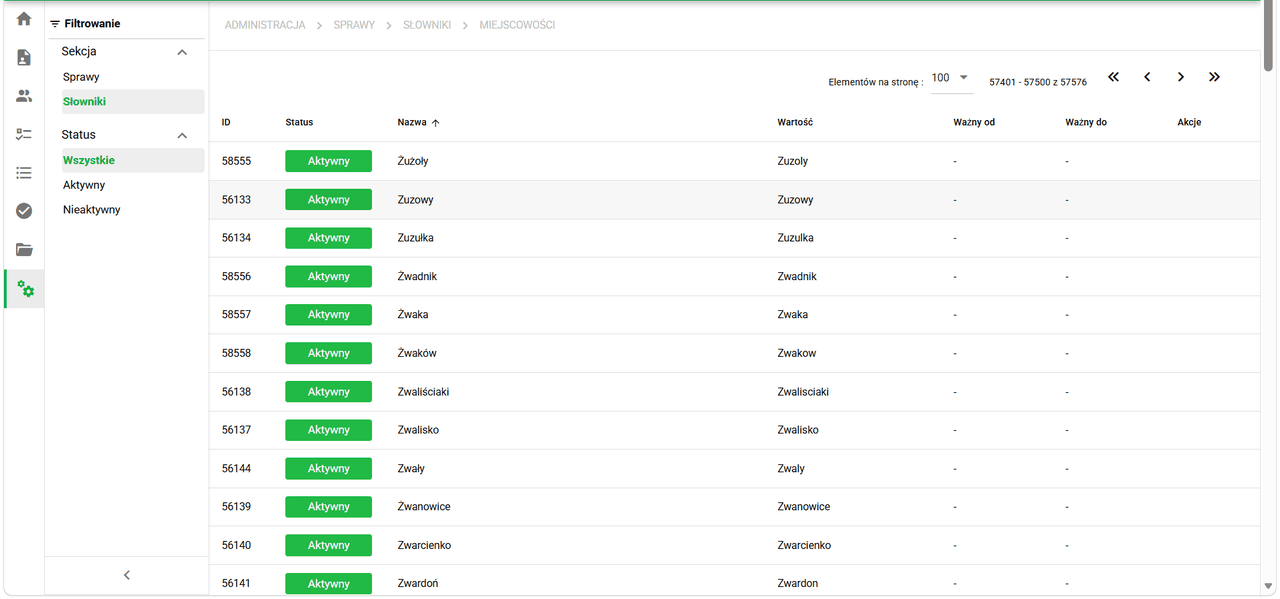
Shared, centrally maintained values reduce the need to duplicate lists manually across many case types and help collect data in a consistent format. The county and locality dictionaries also support large datasets, making them suitable for workflows that use address data.
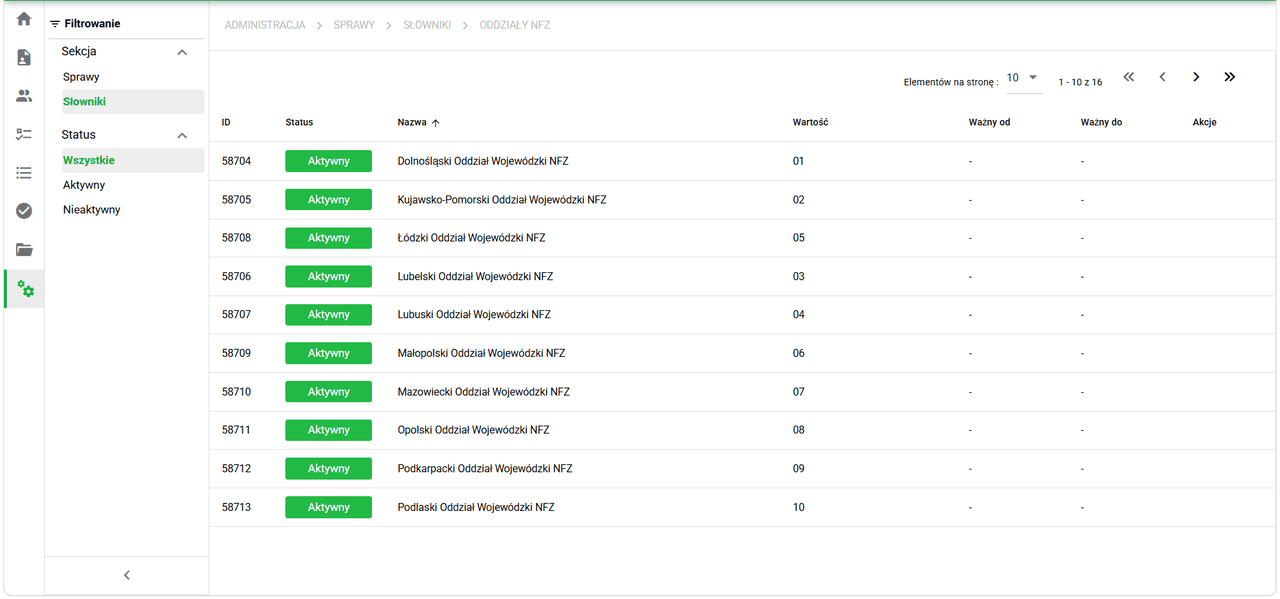
The ready-to-use dictionaries also contain structured institutional values, such as regional NFZ branches and their codes.
Sorting and filtering case widgets
The Cases and My cases Dashboard widgets now provide column headers, ascending and descending sorting, and value filters. Users can search and select values for details such as case type and phase, deadlines, reference numbers and responsible people.
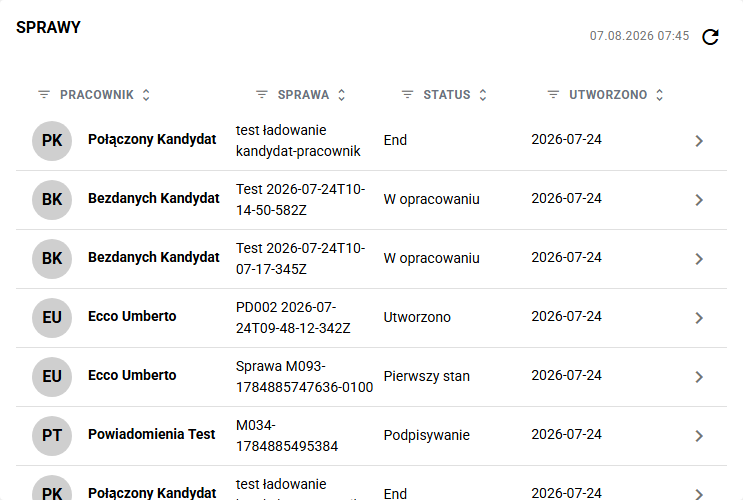
Quick operations are also available for selecting all, none, empty or completed values. This makes it easier to narrow a large list down to cases that require attention without leaving the Dashboard.
New employee identification rules for documents
We have added two employee identification methods to the automatic metadata completion rules: Full name and Full name + date of birth. A rule can combine data read from several regular-expression capture groups, and the date of birth is normalized before the employee search.
Metadata is completed only when the system finds one unambiguous matching employee. This reduces the risk of assigning a document to the wrong person, particularly when an organization employs people with similar details.
Fixes and minor improvements 🛠
- Qualified signatures: We have improved the recognition of signatures created outside eFOB. The system reads certificate details and attempts to match the signer to an active user by PESEL number. If the match is not unambiguous, it displays a clear warning without blocking further work.
- Administration / Document types / HTML editor: We have improved the preservation of lists, alignment, blank lines, and table widths and styles, including merged cells. We have disabled automatic formatting of the
==syntax so that it does not alter Jinja conditions in templates. - Administration / Cases / Forms: We have fixed dictionary field initialization in case-state form previews so that saved values and the correct dictionary scope are displayed in the same way as in an active case.
- Administration / Folders: We have restored saving settings for document-type export, folder codes, subfolder names, document creation and numbering, among others.
- Dashboard and translations: We have fixed widget names and permission labels so that they follow the language selected by the user.
- Application security: We have tightened browser resource-loading rules and updated the cryptographic components used by the system.