eFOB 2.57.0 - News July 2026
We have deployed eFOB 2.57.0. In this version, we have expanded case configuration with reusable dictionaries and increased the capabilities of the HTML template editor. We have also improved case automations for facsimile signing and copying selected document types to the employee's eFolder.
Key changes:
- local dictionary management and the ability to use both local and global dictionaries as option sources in Choice list and Multiple choice list fields in case forms,
- page settings, document styles and table formatting support in the HTML editor,
- better compatibility of HTML templates with external editors and PDF generation,
- new automation options for signatures and selective document loading in the "Document loading" state, together with a progress screen, error handling that may require a user decision and retry after all required decisions are completed.
Dictionaries in case forms
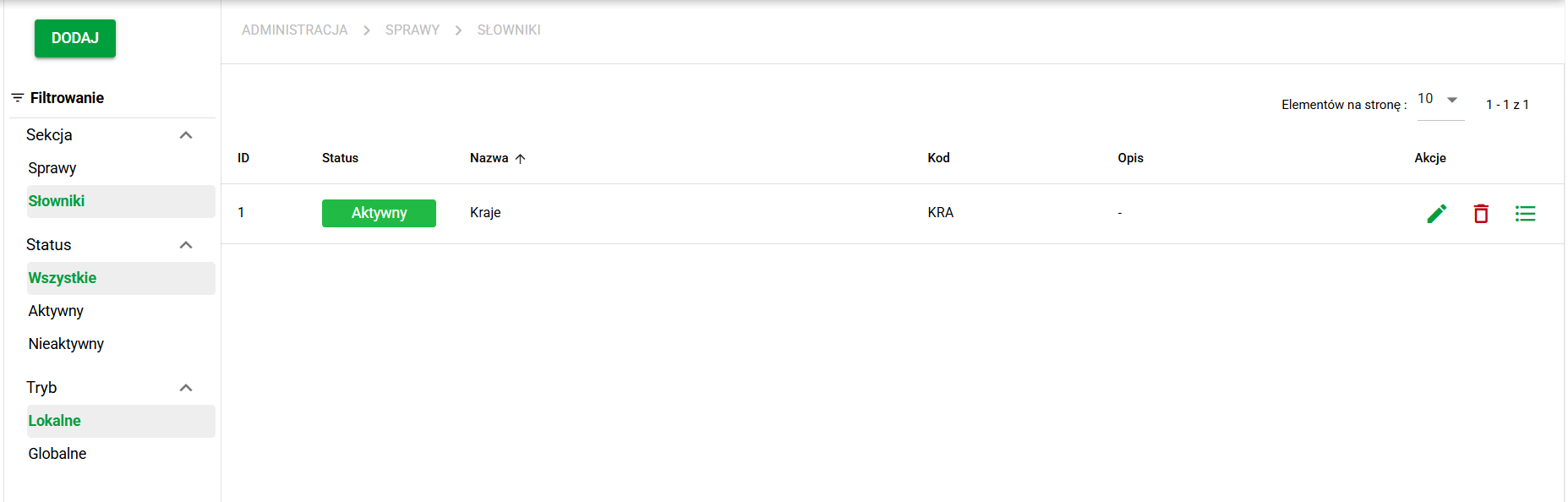
We have added a dedicated area in Case Administration for managing dictionaries and their values. Administrators can create and edit local dictionaries (per company), search their contents, and transfer data using import and export. The platform will also provide predefined global dictionaries, including ZUS and Tax Office dictionaries.
When configuring a form, an administrator can add a Choice list or Multiple choice list field and then choose Local dictionary or Global dictionary in the Options source setting. This makes it possible to reuse the same centrally maintained values in many forms and many case types without manually duplicating the same list in each field.
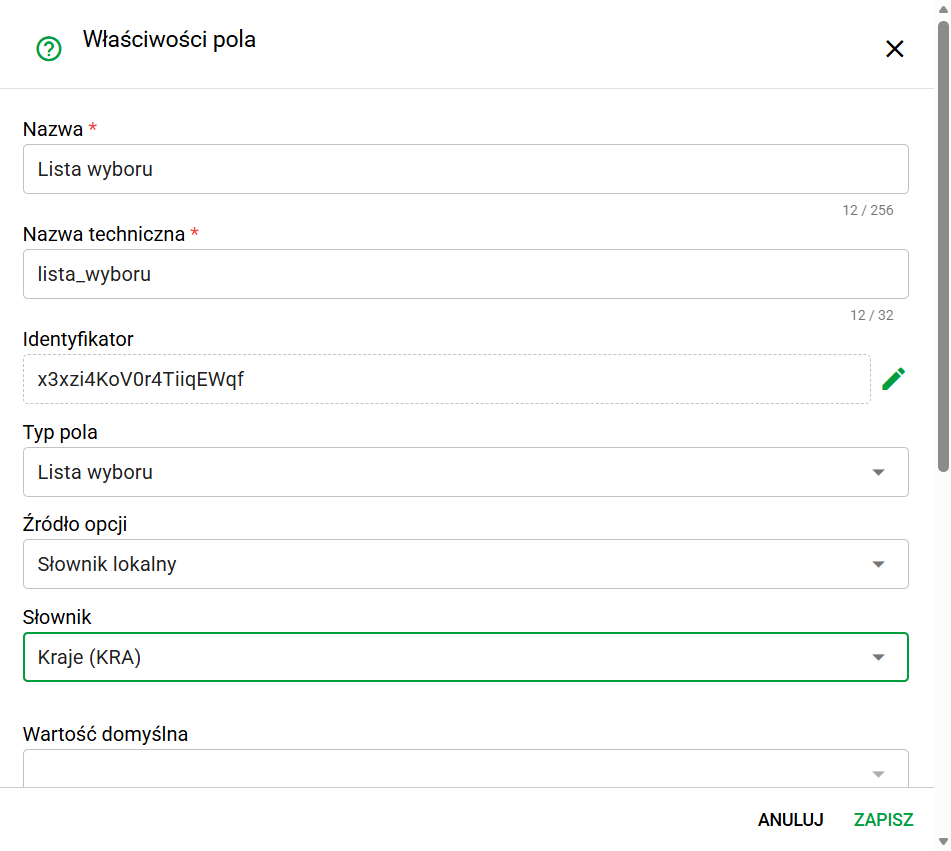
Once a specific dictionary is selected, the field loads its values directly from that source. Users working on a case therefore see the current list of entries from the local or global dictionary in the form, and updates to a local dictionary in administration are reflected everywhere it is used. This helps standardize data, reporting and consistent answers across processes. Values that were removed from the dictionary remain saved in existing cases, but they are marked as historical values and cannot be selected again after the field value is overwritten.
Expanded HTML template editor
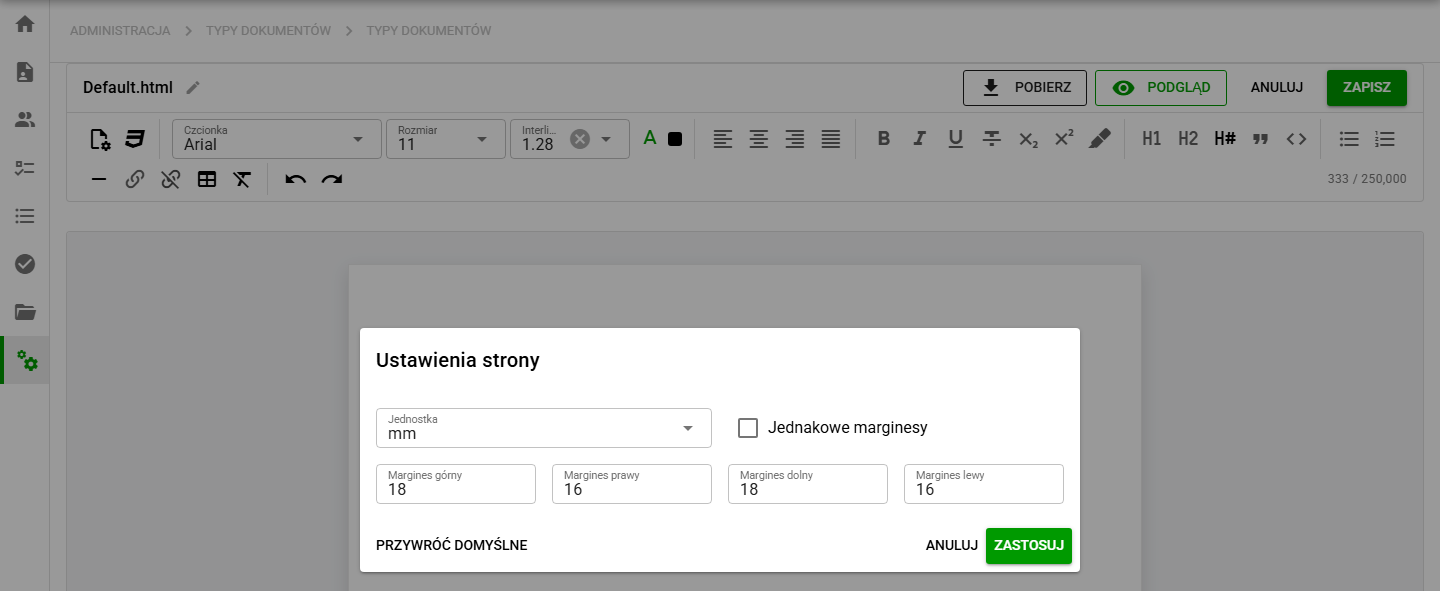
The HTML template editor now provides page format, orientation and margin settings, as well as document style configuration. We have also expanded table tools with options for borders, cell widths, row heights and table behavior across page breaks.
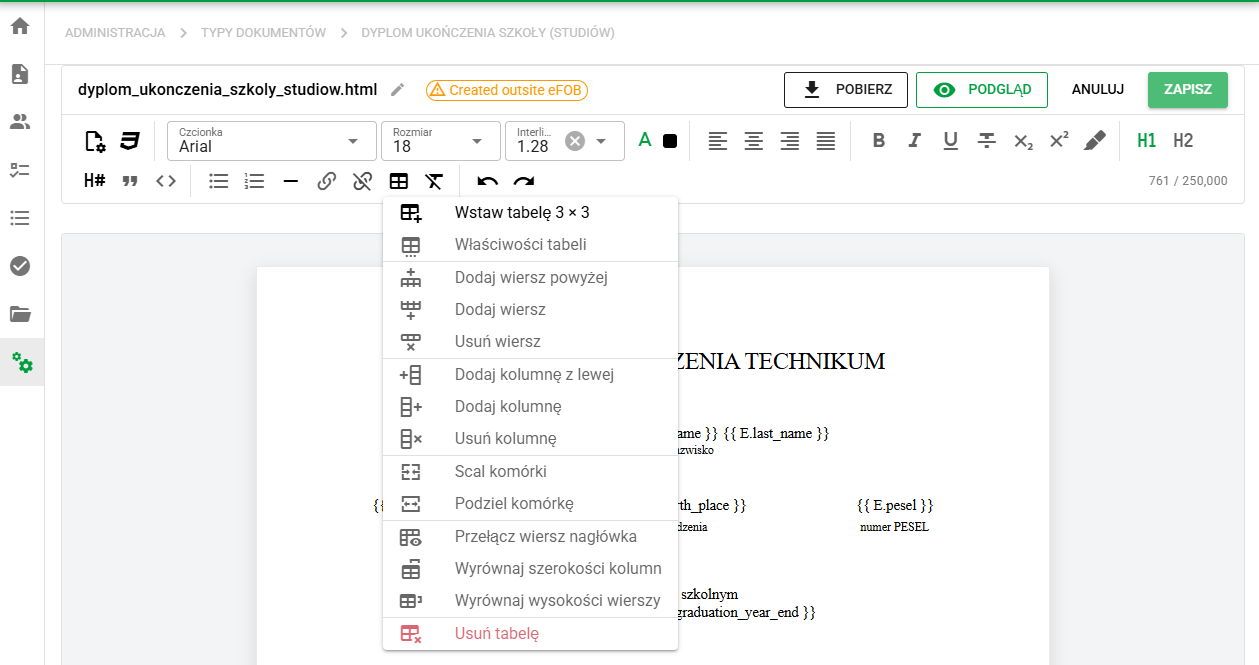
We have improved support for mixed formatting and content originating from external editors. Extended security mechanisms remove forbidden rules and clean up invalid styles that could affect, among others, the document generator.
The editor also warns when a document template has not previously been saved in eFOB, so the applied formatting can be verified.
Changes in the editor and PDF generator provide more predictable document layout from editing through to the finished file.
Signature and document-loading automation
We have added the ability to configure automations in the "Load documents" phase.
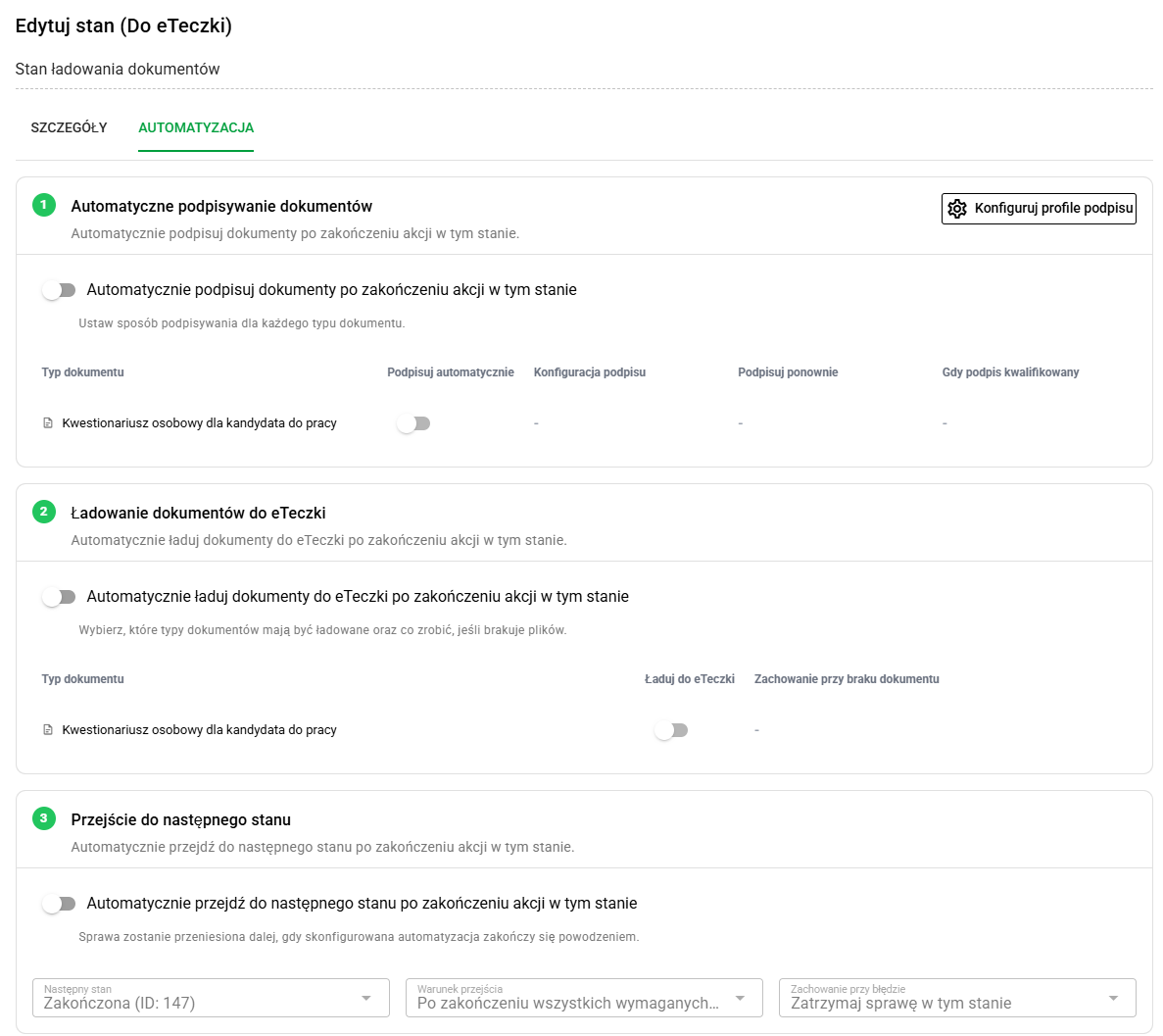
In the state configuration, an administrator can define which document types should be signed with a facsimile, which should be sent to the employee's eFolder, and whether the case should move forward automatically after all actions finish successfully. This makes it possible to close a repeatable step in the process without performing each action manually.
As part of the automation, administrators can also add signing configurations and assign them to selected document types. This makes it easier to ensure that the signature is applied in the correct place and in the right way for documents handled in that process state.
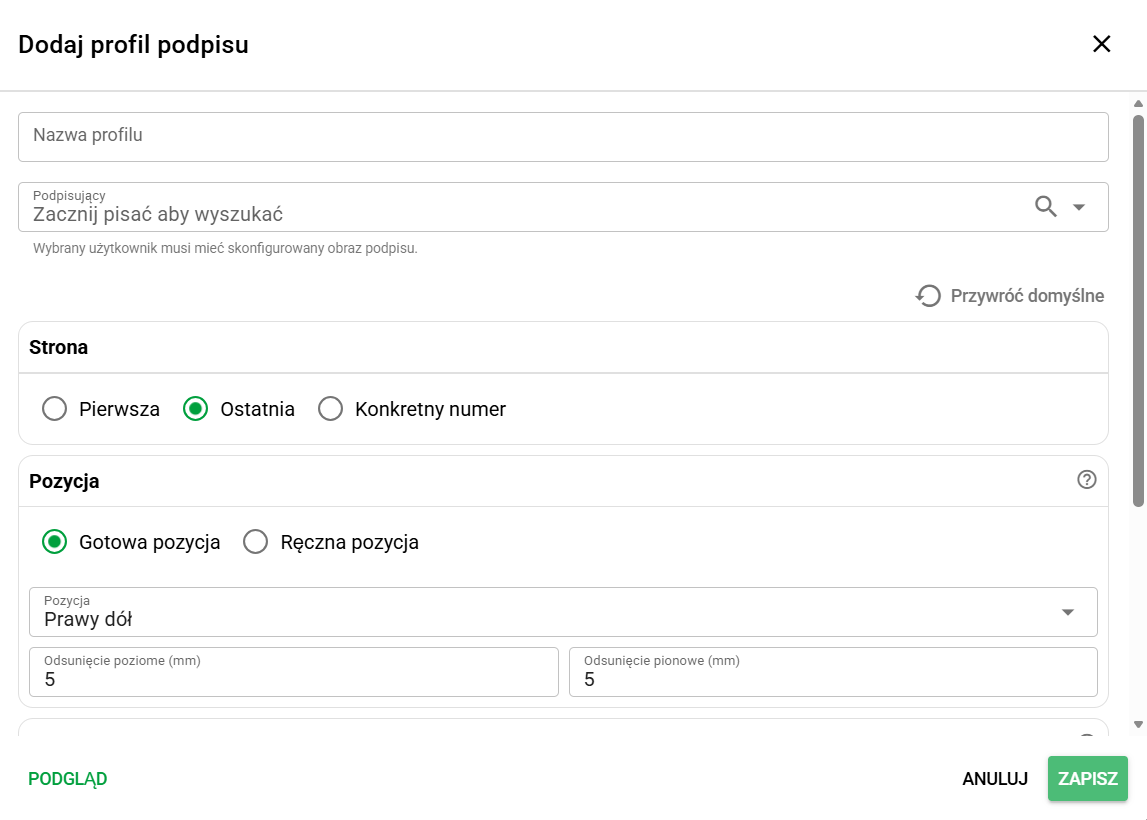
The new features enable the following automations:
- Signing specific document types using a facsimile
- Automatically loading specific document types to the employee's eFolder
- Automatically moving to the next state (e.g. completion) after the signing and loading actions are performed
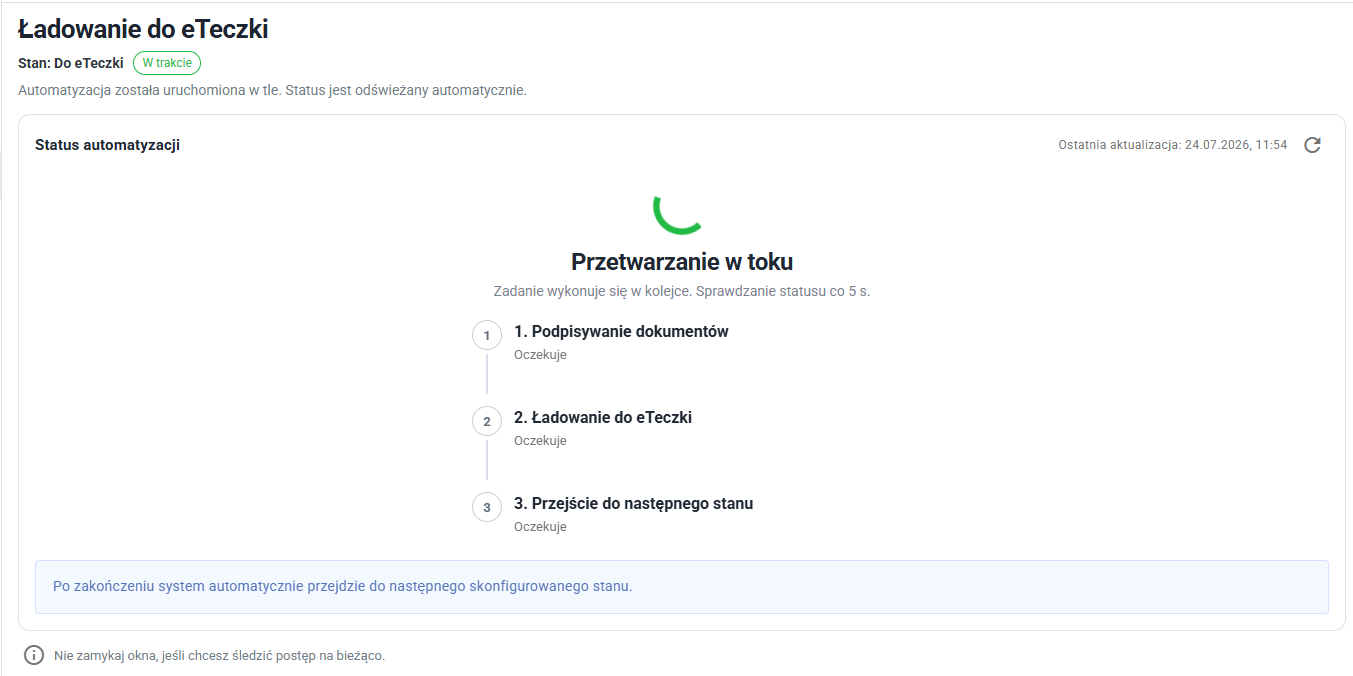
When a case enters this state with automation enabled, the user sees a progress screen showing the automation status and the progress of each step: document signing, loading to the employee's eFolder and transition to the next state.
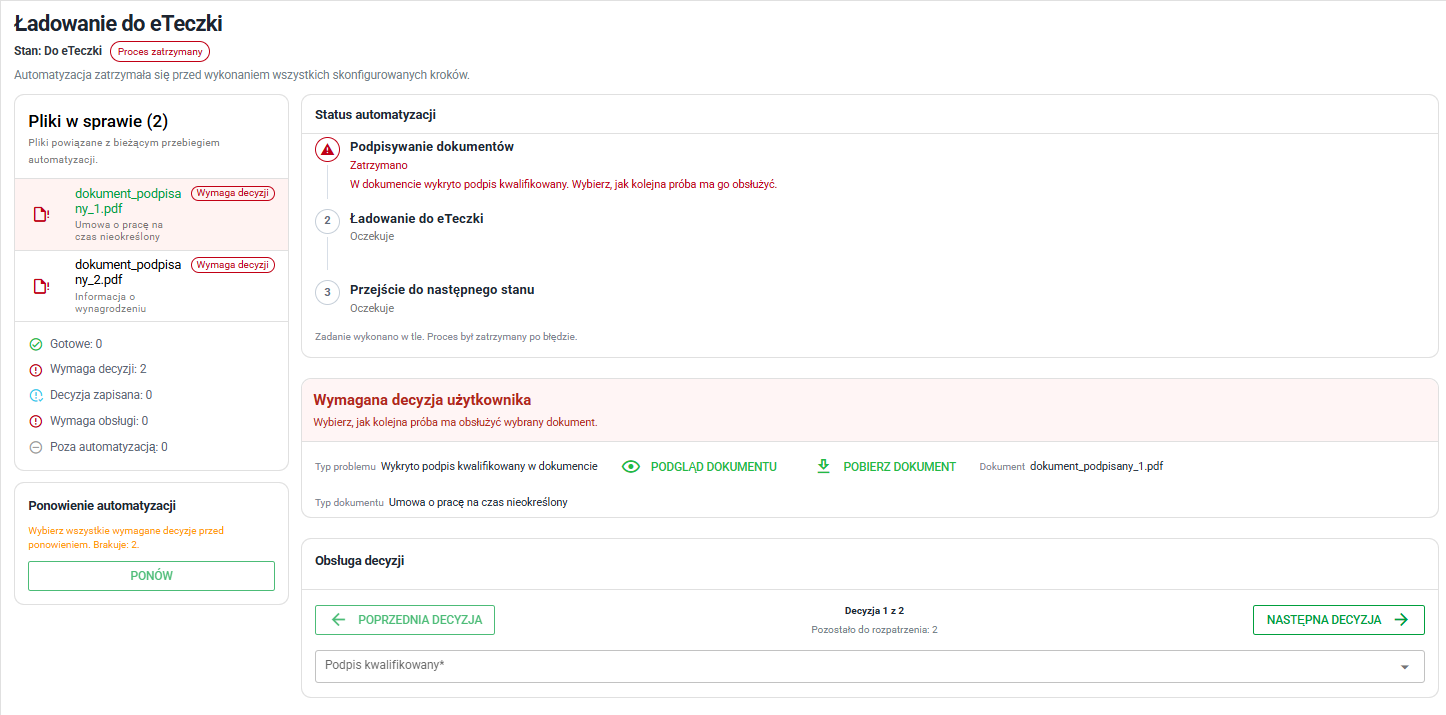
If one of the steps fails or requires additional input, the system may show an error-handling screen with the list of files included in the automation, problem statuses and the Decision handling section. When an error requires an operator decision, the Retry button remains unavailable until all required decisions are selected. After that, the user can start a new automation attempt, and standard case-state actions remain available, so the user can also change the state according to the process actions available in that case.
These options expand the possibilities of finalizing business processes along defined paths.
Fixes and minor improvements 🛠
- Electronic signatures: We have added a more convenient signature profile preview and clearer signature type names in forms and case details.
- Integrations / Operator API keys: We have created a new eFOBsync integration option shared across the entire organization. It will be used in future system development.
- Employees / Employment dates: We have improved employment-date editing in employee profiles, including setting today's date, clearing the contract end date, and saving and refreshing changed values.
- Romanian language: We have corrected terminology and missing translations across administration, employees, retention and employment workflows.
- Documents: We have fixed single-file drag-and-drop and disabled adding new documents from the Trash view.
- Administration / Cases / Document types: We have fixed detaching a document type from a case form.