eFOB 2.53.0 – News May 2026
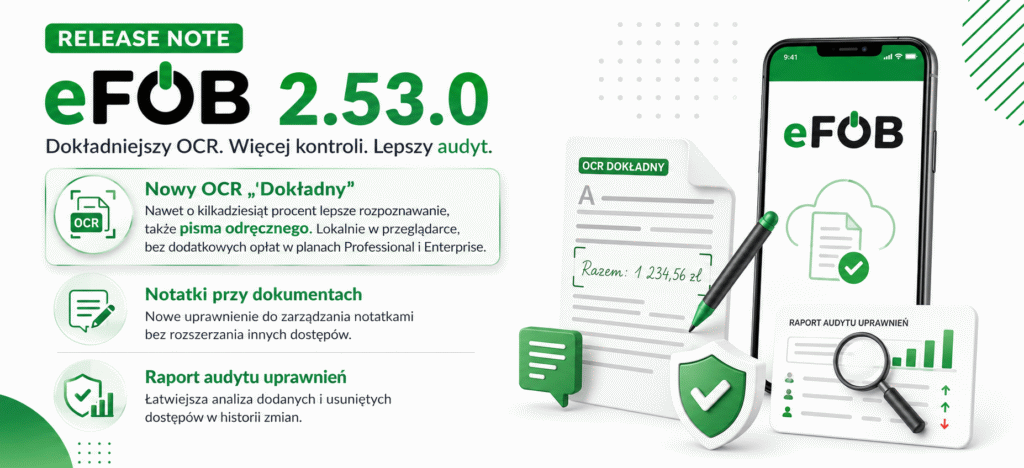
We have implemented a new version of the eFOB platform 2.53.0. The update focuses primarily on more accurate text recognition from PDF documents (OCR), including the ability to recognize handwriting
Key changes:
- new "Accurate OCR" mode - more effective document recognition, including handwriting, running locally in the browser and available at no additional charge in Professional and Enterprise plans,
- separate permission to manage notes on documents,
- refined permissions audit report, facilitating the analysis of added and removed accesses.
More accurate OCR and automatic filling of metadata from documents
In the Documents / OCR area, we have introduced a new "OCR accurate" mode, which increases the effectiveness of automatic document content recognition. The change is particularly helpful when working with scans, forms, statements and documents completed manually.
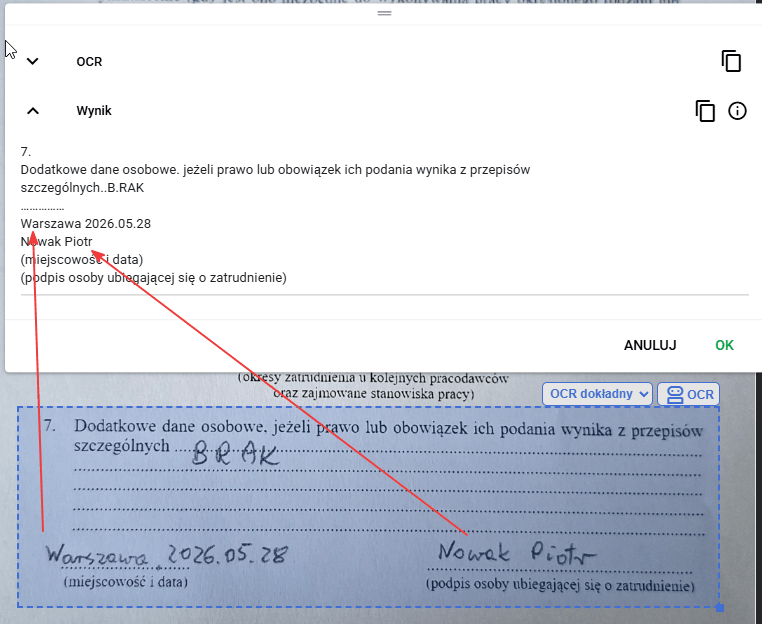
One of the most important new features is better handwriting recognition. Thanks to this, eFOB can more effectively read data from documents that previously required manual verification or completion of metadata by the user.
OCR runs locally in the user's browser and, when combined with automation rules, can automatically recognize the document type, date on the document, and employee, and then fill in this information without the user having to manually retype the data. It is available at no additional cost for use on Professional and Enterprise plans.
Thanks to this:
- you will limit manual copying of data from documents,
- you will prepare larger batches of scans for publication in eFOB faster,
- you will increase the consistency of metadata in employee documentation,
- you will recognize dates, document types and employees more easily,
- you will also use OCR for more difficult scans and handwriting,
- automate repetitive scenarios without additional charges for use on the Professional and Enterprise plans.
Example #1 – Text Recognition (General)
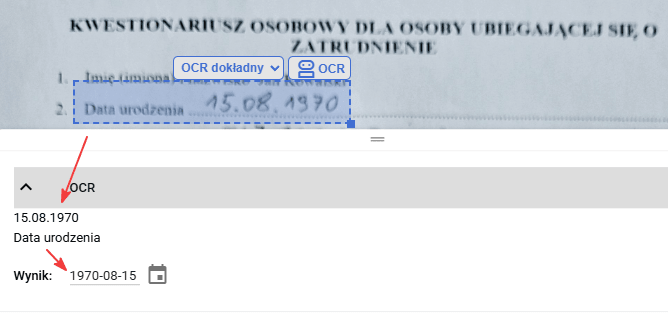
Example 2 – Smart Date Formatting
We encourage you to test in practice.
Separate permission to manage notes on documents
We have added a separate permission to manage notes on documents, thanks to which administrators can more precisely control who sees and edits additional information saved on documents.
Notes can be hidden in document editing, auditing, tables, searches and exports, without preventing the user from accessing other document functions. This increases the security of working with documentation and allows you to better tailor access to notes to roles, responsibilities and internal organizational policies.
Companies that want to use the new permission in the configuration of module access roles can report such a need to eFOB technical support. We will help you prepare the appropriate settings, e.g. a role with access to documents but without access to notes.
Updated UI foundations
Thanks to a major technological update of the user interface, the way is opened for faster application development, better performance optimization and more efficient handling of large modules such as OCR and PDF documents.
This is a significant technical change, so it underwent extensive regression and key user scenario testing before implementation.
Fixes and minor improvements
- Navigation / Switching organizations: We have improved switching between companies by remembering the current work module. The user returns to the right context faster after changing companies.
- Documents / Generator: We have improved pattern search by language and folder hierarchy support.
- Documents / Export: We have improved the launch of document exports.
- Cases / My cases: We have improved sorting and minor mechanisms for stabilizing case views.
Audit report of user permission changes
We have improved the permission change audit report so that administrators can more easily check which accesses have been added and which have been removed.
This is part of broader work on audit readability and security of access management in eFOB. The authorization mechanism in the system offers wide configuration options, which is why we are gradually developing tools that help administrators maintain transparency, security and fuller control over access changes.
Test for free for 14 days!
Sign up for a trial