eFOB 2.52.0 – News May 2026
We have implemented a new version of the eFOB platform 2.52.0. The update focuses on the automation of HR processes, greater flexibility in the configuration of cases and documents, and on features available on a pilot basis: Romanian language support and a training module in eFOB Matters.
Key changes:
- library of ready-made business processes and transfer of case types between environments,
- rules for automatic completion of metadata based on OCR,
- completely redesigned Add document screen,
- piloting of Romanian language support in selected areas of the system,
- piloting of the SCORM training module in eFOB Sprawy
Case library – faster launch of HR processes
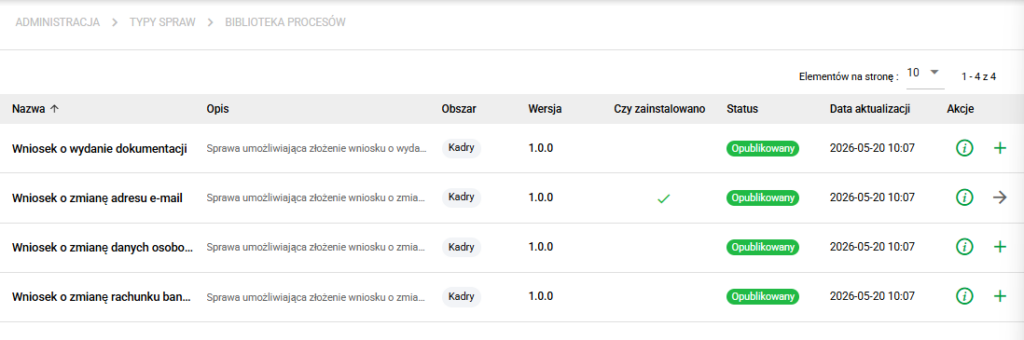
In the Administration / Cases module, we have added the ability to create case types based on ready-made business processes. Thanks to this, organizations can launch repeatable HR, administrative and compliance processes faster without building each workflow from scratch.
We have also added export and import of case types. This allows you to transfer configured no-code document workflows between environments, e.g. from test to PROD or between organizations using similar processes.
Thanks to this:
- you will implement new HR processes faster,
- it's easier to transfer configuration between environments,
- you will limit manual restoration of settings,
- you will make better use of ready-made process patterns.
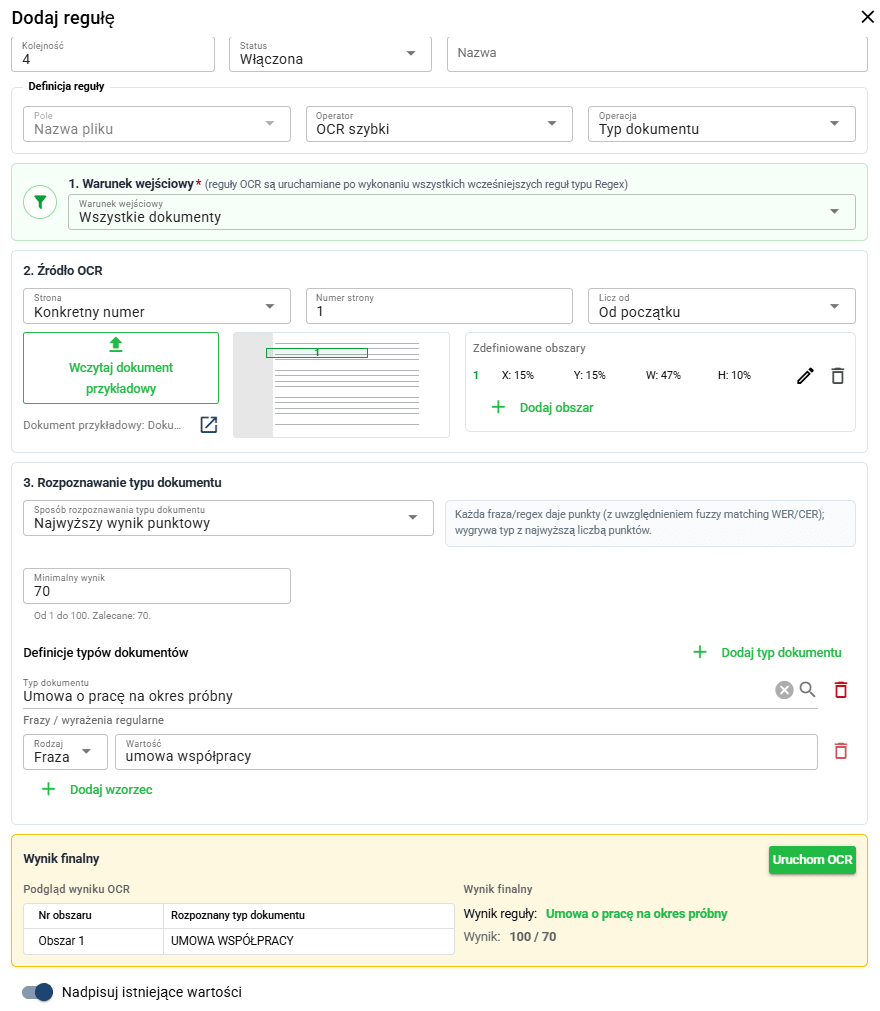
OCR rules – automatic filling of document metadata
In the Documents / Upload files area, we have added the ability to build your own rules for automatic creation of metadata based on data recognized by OCR.
Rules can support completing information such as document type, date on the document or employee. Thanks to this, eFOB can better support document organization at the stage of adding files.
Thanks to this:
- you will limit manual data entry,
- you will speed up your work with more documents,
- you will increase metadata consistency,
- it will be easier for you to use OCR in your everyday work with eFOB.
Adding documents - combining PDF, OCR and more convenient work with files
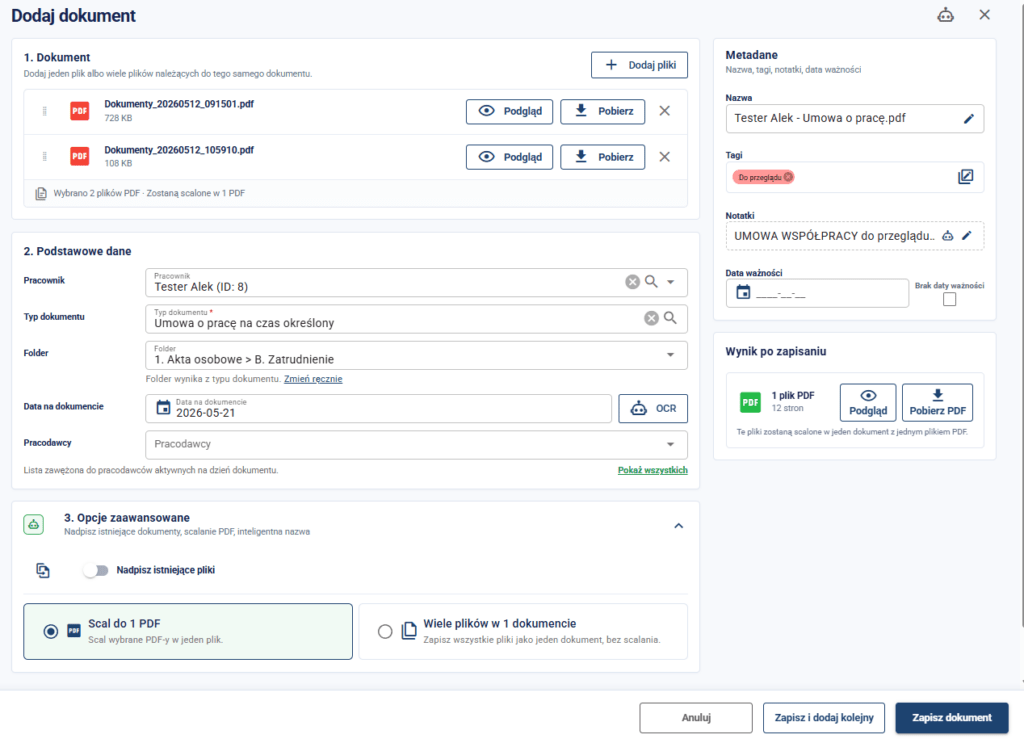
We have improved the document adding screen to make working with files, metadata and advanced options more readable. The view has been divided into logical sections: file selection, basic data, metadata, result after saving and advanced options.
On the add document screen, the user can conveniently add one file, multiple files belonging to the same document, or combine several PDF files into one document. This is particularly useful when digitizing personal files, when the documentation is scattered across many scans or attachments.
For the largest eFOB packages, it is also possible to run OCR, which supports the recognition of data from the document and can speed up filling in metadata or adding it to the Note.
Thanks to this:- it's easier to add one document or many files belonging to the same item,
- you can combine several PDF files into one document (and download it even without saving!),
- you will organize scans and attachments at the stage of adding them to eFOB,
- in the largest eFOB packages you can run OCR supporting data recognition,
- basic data, metadata and advanced options are clearly separated,
- the user immediately sees the result after saving the document, including the ability to preview or download the file.
Romanian language – pilot
We have extended Romanian language support in the eFOB interface. The function is available on a pilot basis and covers selected areas of the system.
This is another step towards serving organizations operating internationally and teams that need to work in several language versions.
Training in eFOB – module pilot
We have made a training module available on a pilot basis in eFOB Sprawy. The module allows you to run training in the SCORM format directly as part of the process, save the result of completing the training in a case and generate a certificate confirming its implementation.
We have also prepared a sample "IT security (basics)" training that can be presented to interested organizations.
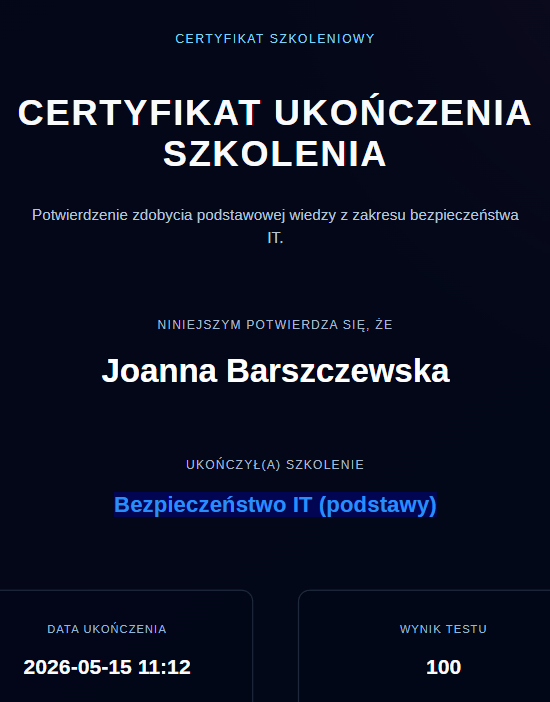
We encourage you to test in practice.
Fixes and minor improvements
-
improved validation in mass updating of cases and when changing the status of cases with generated documents,
-
corrected position of the graphic sign for many Signius signatures,
-
improved adding documents using the drag & drop method, including support for duplicates and selected file types,
-
more convenient operation of the "Continue" button in the visual division of documents,
-
improved display of cases in the candidate view,
-
improved search for employees in the trash,
-
updating selected libraries, dependencies and Documents and Administration views.
Employers and documents – better handling of current and historical data
We have added support for employer expiration dates and better use of employer data in documents. This makes it easier to work with current and historical data, especially in organizations that change their name, ownership structure or organizational model.
Thanks to this:
- you will better reflect the organizational history of the company.
- you can more easily handle changes in employer data over time,
- you will reduce the risk of using outdated data in documents,
Permissions – easier access management in larger organizations
We have extended the import of permissions to include support for data access roles.
Test for free for 14 days!
Sign up for a trial