eFOB 2.48.0 – News April 2026
On April 1, 2026, we implemented a new version of the eFOB 2.48.0 platform, in which we focused on the development of the process management area in Matters.
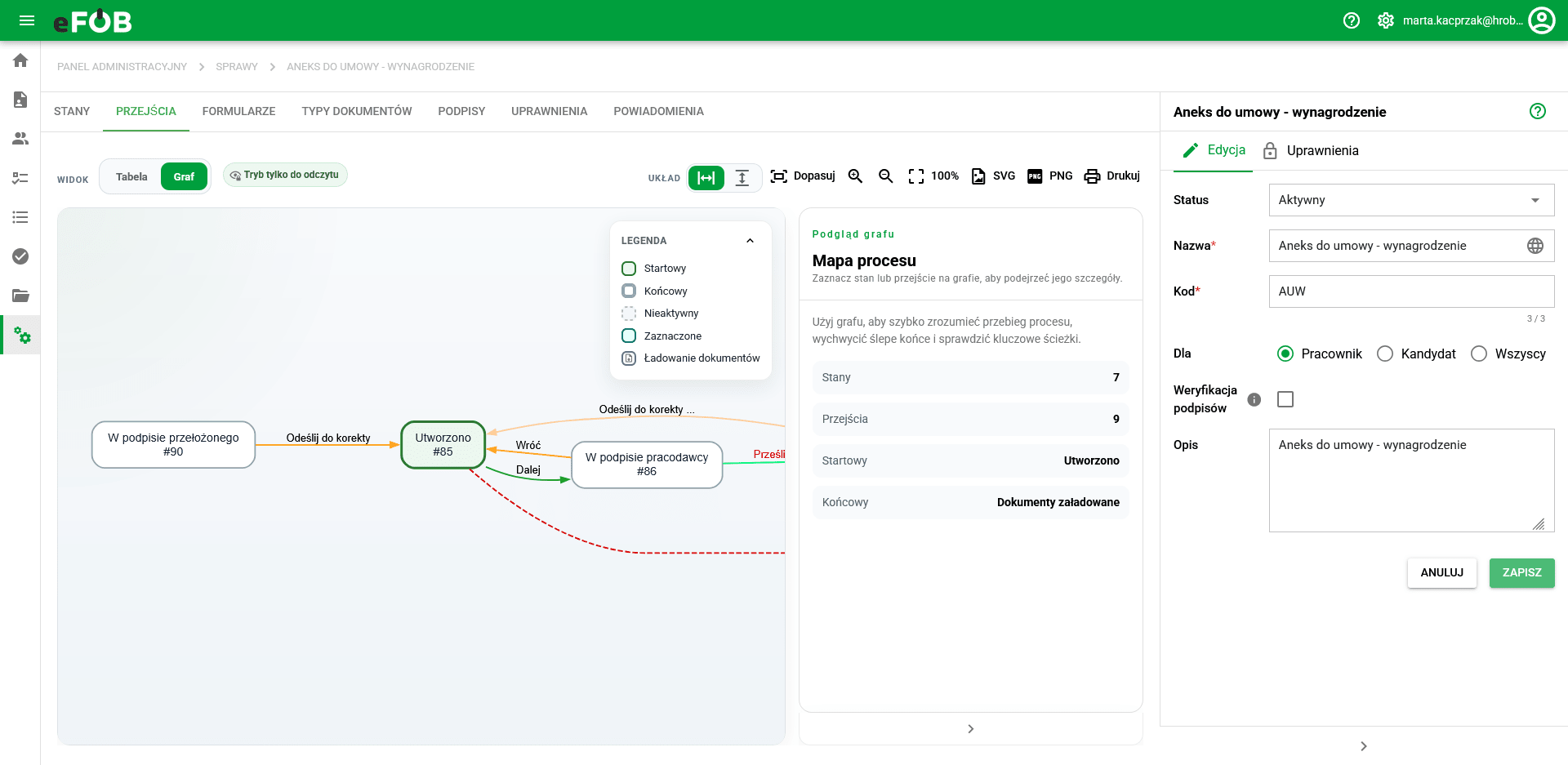
Administration/Matters – graphical map of the process
We have introduced a new, graphical process preview (workflow map), which clearly shows the entire course of the case - from start to completion.
With a process map you can:
- see all states and transitions in one view,
- analyze workflow logic without delving into the configuration,
- export and print the process view (e.g. for documentation or audit).
This tool significantly facilitates both the design and analysis of processes - especially in organizations working in the no-code workflow model.
Matters – greater control of permissions
We have extended the configuration of case types with the ability to grant read-only permissions.
Additionally, we have expanded the case cloning mechanism, which now includes:
- permissions,
- notifications.
This makes the creation of new processes faster, more consistent and safer.
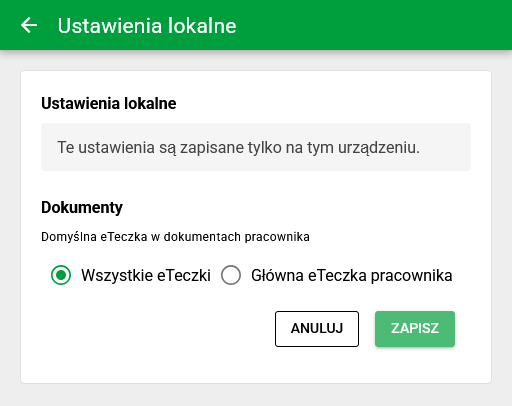
Settings – local user settings
We have added a new section of local settings, remembered individually for the user.
They allow you to adjust the way of working to your own preferences, including:
Selecting the Documents module operation mode:
- all eFolders (default),
- the employee's main eFolder.
The result is a more personalized and comfortable working environment.
Settings – local user settings
Based on user suggestions, we have introduced a mechanism for remembering filters in temporary views.
Thanks to this:
- you can return to the previously set view,
- you don't have to configure the filters again every time.
Documents – up to 2× faster
We have optimized the operation of the document list, achieving up to view loading twice as fast.
Additionally:
- we have introduced filtering by multiple users in the audit (“Created by”),
- we added the ability to mass delete tags,
- we have fixed the handling of direct links from emails.
Digital signatures – greater reliability
We have added the "Run default certificate" option to handle rare cases of problems with automatic detection of a qualified certificate by Szafir SDK.
Matters and My matters – more convenient work
We have added support for the "Load to eFile" option in Mass Matters, In "My matters" we have enabled clickable document preview, which significantly speeds up navigation.
Stability and security
We have updated system components and mechanisms for building and deploying applications.
Effect:
- higher level of security,
- more stable operation,
- better preparation of the platform for further development.
Test for free for 14 days!
Sign up for a trial