eFOB 2.3.5 – News July 2023
On July 11, 2023, the eFOB platform was updated to version 2.3.5. The full list of implemented changes and new functionalities is presented in the article below.
Test for free for 14 days!
Sign up for a trial version.
New functionalities
- New View in Boarding
We have implemented a new table layout in the Boarding module. We have also added configurable views, additional columns and filters.
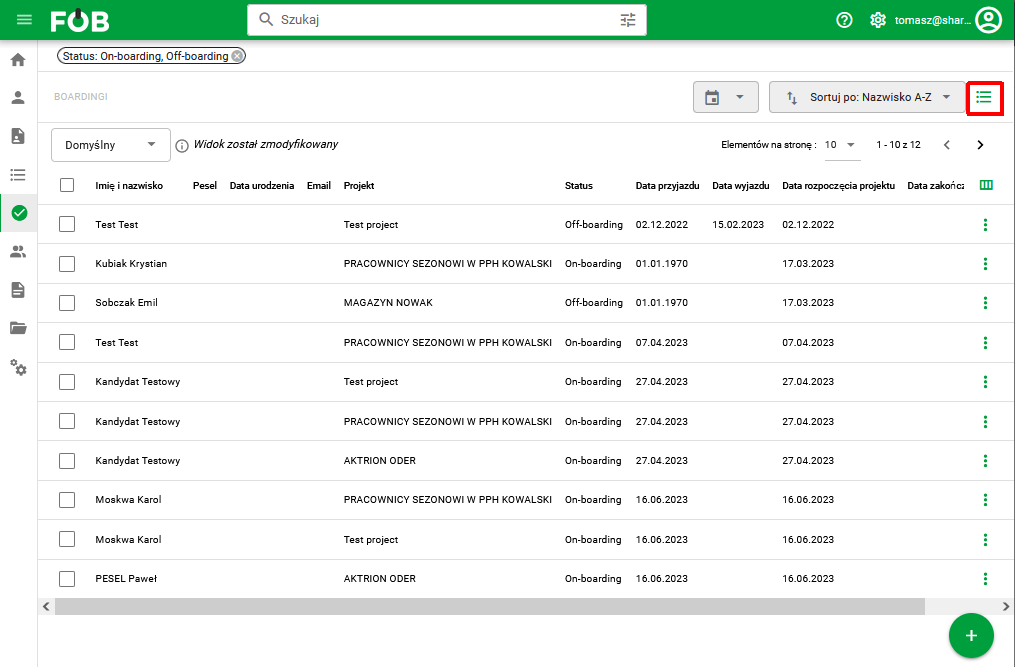
Fig 1. New Boarding view
- Editing reasons for resignation/change of project
We have implemented the functionality of editing reasons for resignation/change of the project in the Boarding module
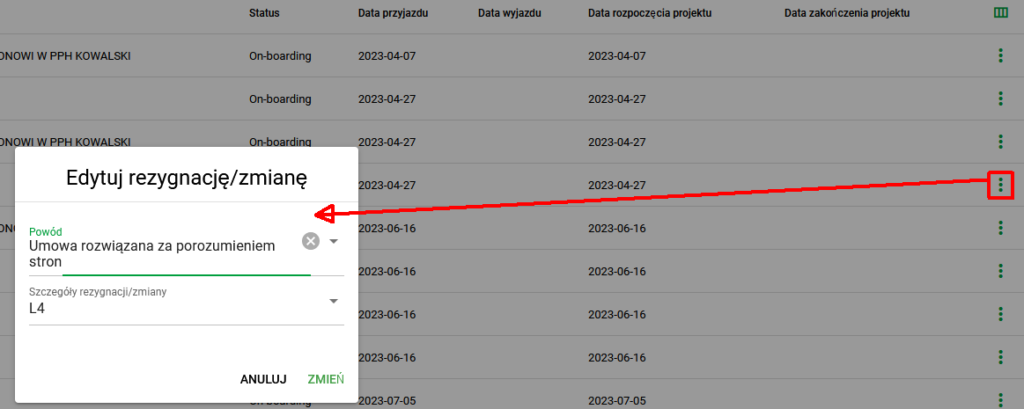
Fig. 2. Resignation/change editing window
- Cases section in the Candidates module
We have expanded the Candidates module to include collecting documents within cases.
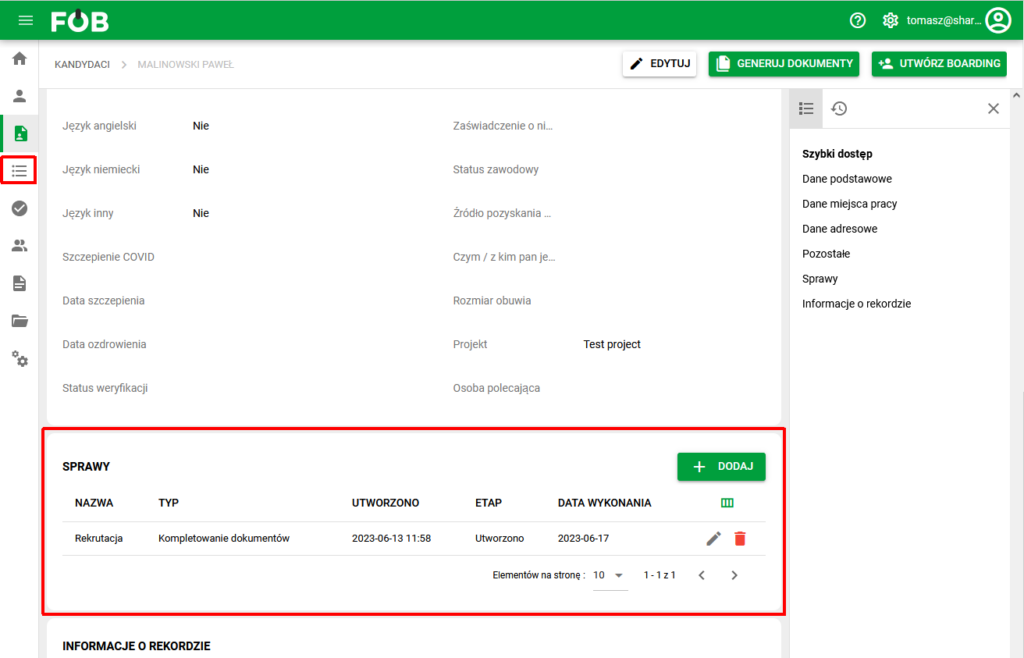
Figure 3. Cases section
- Affairs
We have implemented a new module to handle document completion, including a configurable document flow workflow.
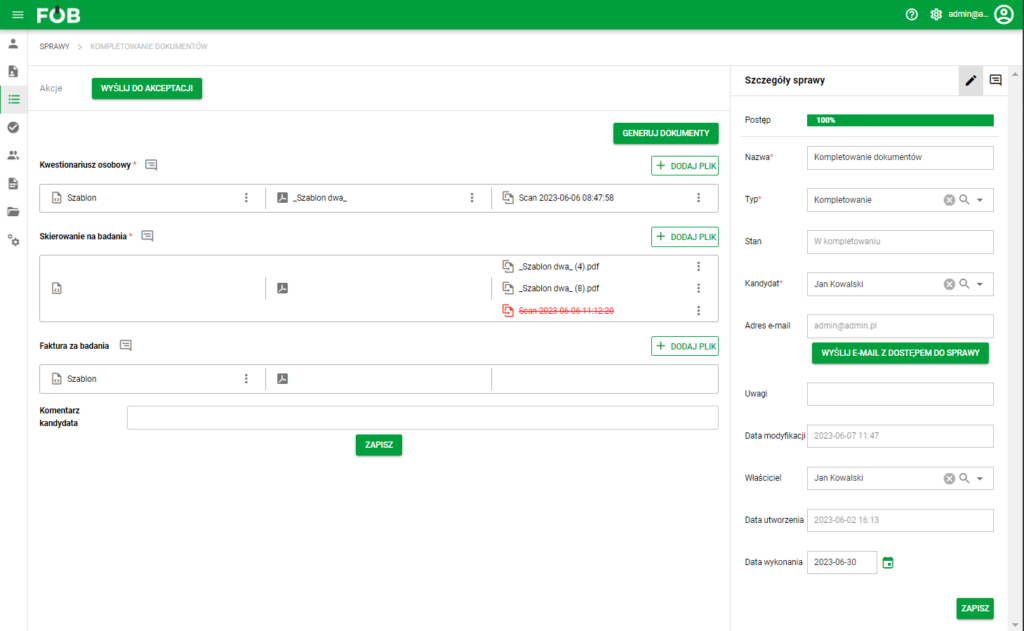
Fig. 5. Case Module
- Completing documents
We have added support for the document collection process through one-time access for the Candidate.
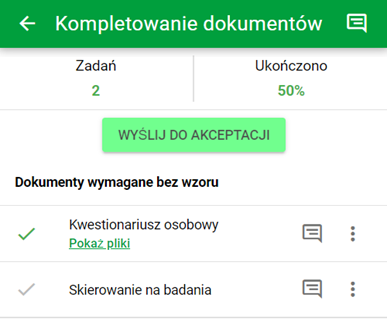
Fig. 6. Screen for completing documents for the Candidate
- Flexible Employees module
We have rebuilt the employees module with configurable data to support employee HR
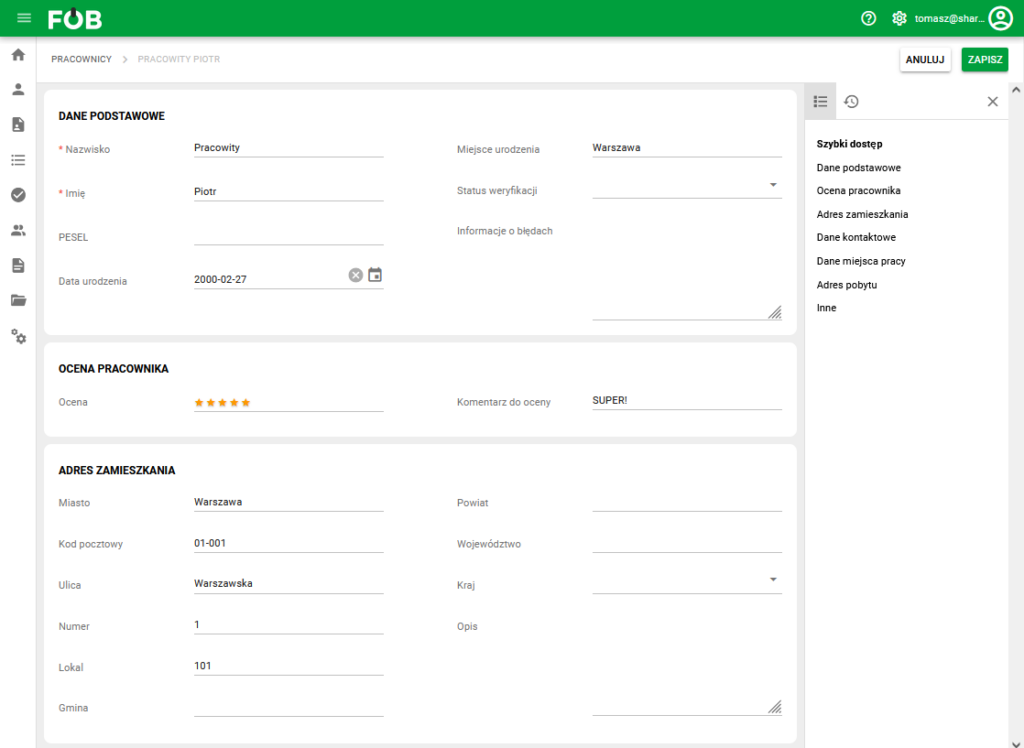
Fig. 7. New view of the employee card
Bug and usability fixes
- Candidates: Automatic creation of date of birth based on PESEL number
- Employees and Candidates: Adding the fields place of birth, district, commune
- Employees: Added audit of field changes
- Security updates
Plans for the next release
- Export and Import of eFOB: of the employee and of the entire company
- Documents: Qualified signatures
- Folders: Expanded with the formal requirements of eFOB
- Documents, Employees and Candidates: Handling data retention and anonymization
Do you have any questions?
Contact Business Customer Service
Contact