eFOB 2.10.0 – What's new June 2024
On June 12, 2024, the eFOB platform was updated to version 2.10.0. In the article below we present a full list of implemented changes and functionalities of eFOB.
The main news this month are:
- New Reports module: with document data, employee data and employment data.
- Individual digital signature: for use in document circulation in Cases.
- Quickly finding missing documents: by handling required documents at Employee Stations.
News 🚀
1. Reports: Generate and download key document and employment reports
From now on, in eFOB you have access to key reports regarding documents, employee data and their employment. All you need to do is select the data area from the new module and click Generate next to the selected report. The selected report will be downloaded to your device.
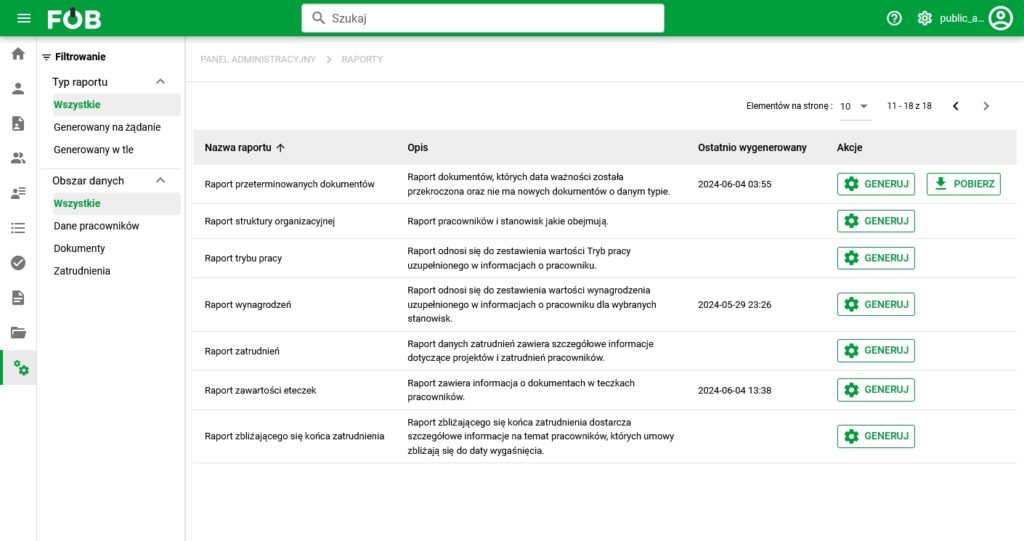
On the list of reports you will find, among others:
- Missing documents report: Report of the types of documents that the employee does not have at the assigned position.
- Expired documents report: Report of documents whose expiration date has been exceeded and there are no new documents of a given type.
- eFOB Content Report: The report contains information about documents in employee documents in eFOB.
2. Digital Signature Settings: Quickly set up your digital signature
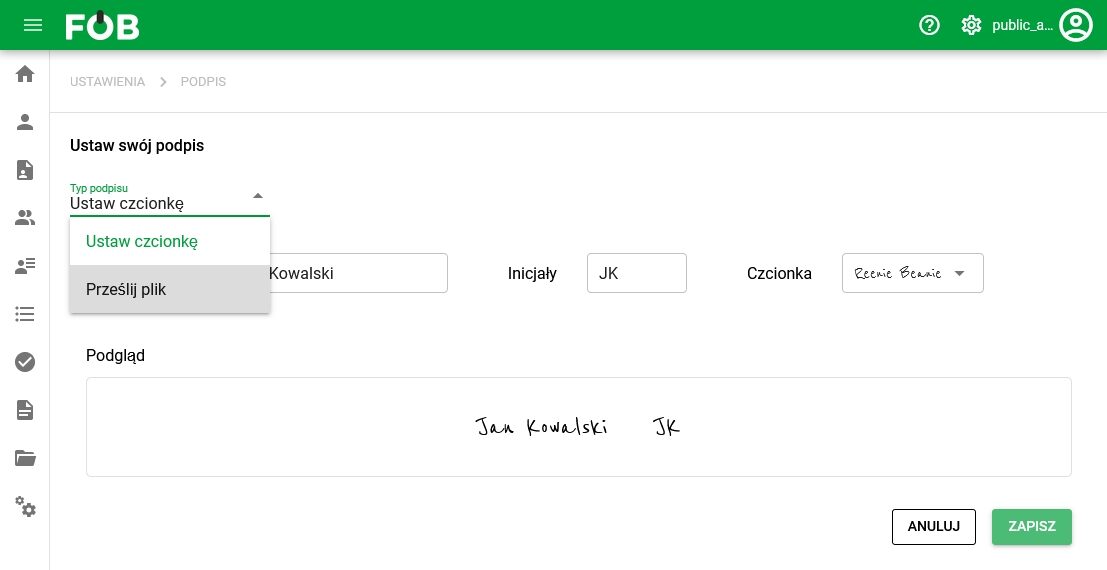
Set your own signature in just a few clicks. Upload a file, e.g. a photo of a handwritten signature or set a signature in a selected font.
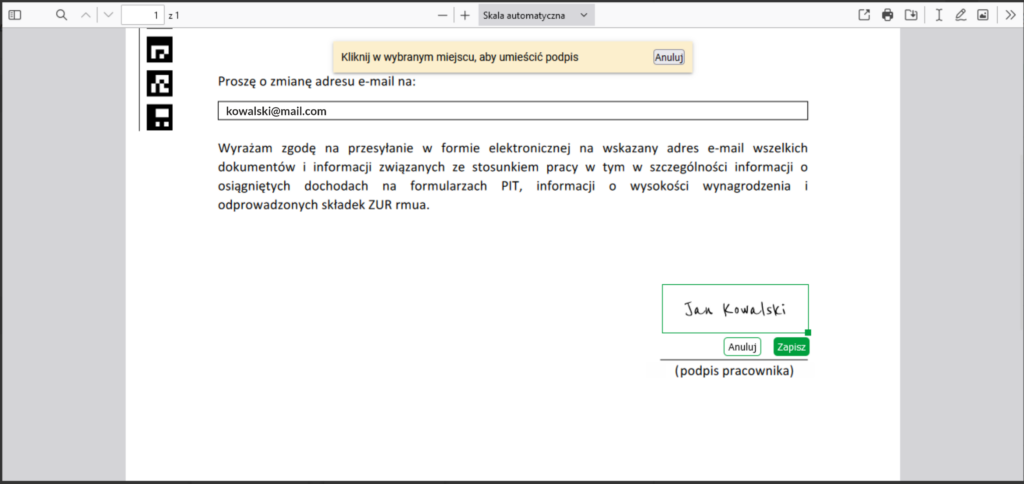
3. Digital Signature: Easily sign documents in Matters and My Matters
Is your signature already configured? Now you can easily add it to your documents. Just open the document and indicate the place where you want to place your signature. Then save the setting and you're done. The document has been signed. 😊
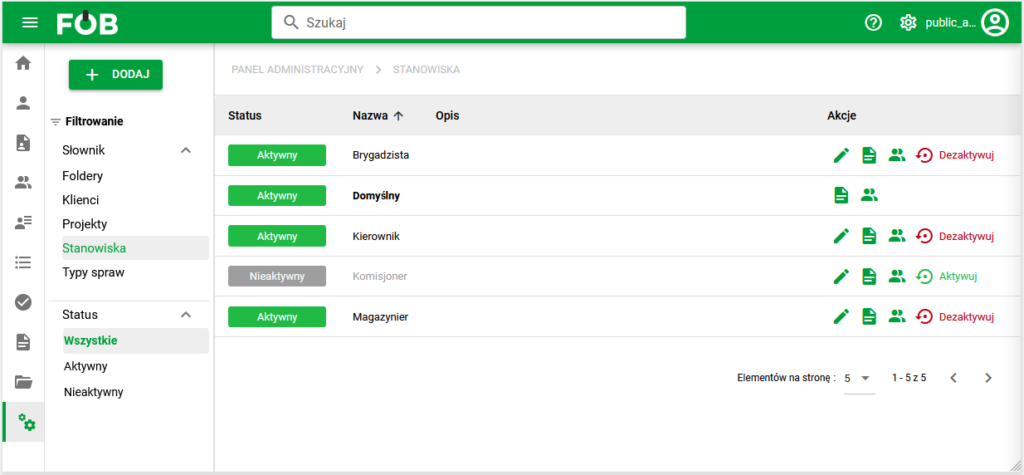
4. Position Dictionary: add new positions, assign employees and document types to them
Do you want to know what types of documents employees are missing from their eFOB? Nothing could be simpler!
Add positions and then assign Employees to positions and the types of documents they should have for this position. Then go to the Reports module and generate “Missing Documents Report”.
Improvements 🛠
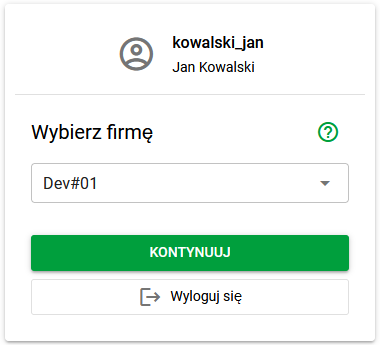
1. Improved tenant selection window when logging in
2. Affairs and My business
- Usability improvements.
- Division of filling out the form and attaching documents into separate stages.
3. Documents
- Improved display of PDF documents in the application.
4. Employees and Candidates
- New fields and consistent forms in both modules.
- Mass editing of positions in the Employees module.
Test for free for 14 days!
Sign up for a trial