Matters widget – operation and widget options
Introduction
Matters widgets are a system for summarizing the most important information regarding the MATTERS module, which is located on the application's start screen. Thanks to widgets, you can quickly and easily access key data related to your matters.
Adding case widgets
To display the widgets you are interested in, go to the WIDGETS tab from the HOME PAGE, and then add the items you are interested in by clicking the PLUS button:
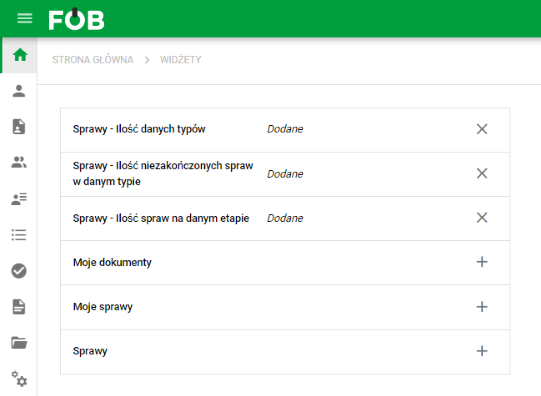
Adding/removing widgets
Data range
Possibility to change the scope of data, the selection of which is in the upper right corner under the button THREE DOTS:
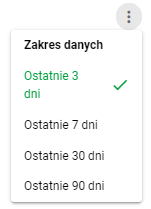
Data range
Find a case in a widget
On a computer, the Cases and My Cases widgets have column headers with sorting and value filters. You can check a particular stage or person without leaving the dashboard.
- Open the filter beside a column header and select the values you need, such as a stage or person.
- Click a column heading to change the result order.
- Open a case by clicking its row if you have permission to view it.
- If the list is empty, check the active filters and remove unnecessary restrictions.
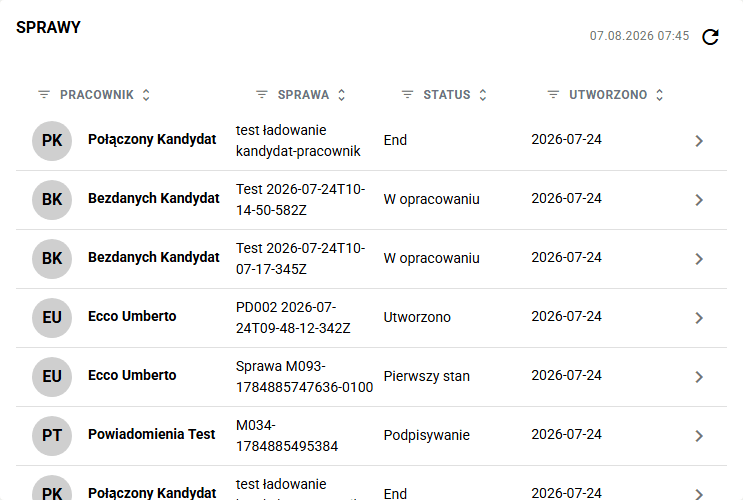
Filters apply to the widget's data. They do not change permissions or saved views in Cases. Open that module for a broader search. The mobile layout differs from the desktop view with column headings.
My affairs

This widget displays cases created by a given user. By clicking on a record, you can go to the summary of a specific case.
Affairs

This widget displays cases that the user owns. By clicking on a record, you can go to the summary of a specific case.
Cases – Number of data types
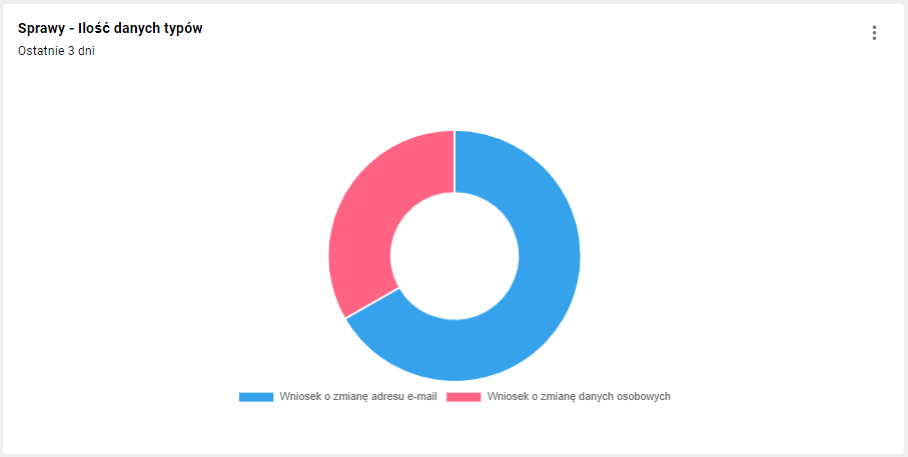
This widget displays the ratio of active case types in a pie chart.
Cases – Number of unfinished cases in a given type
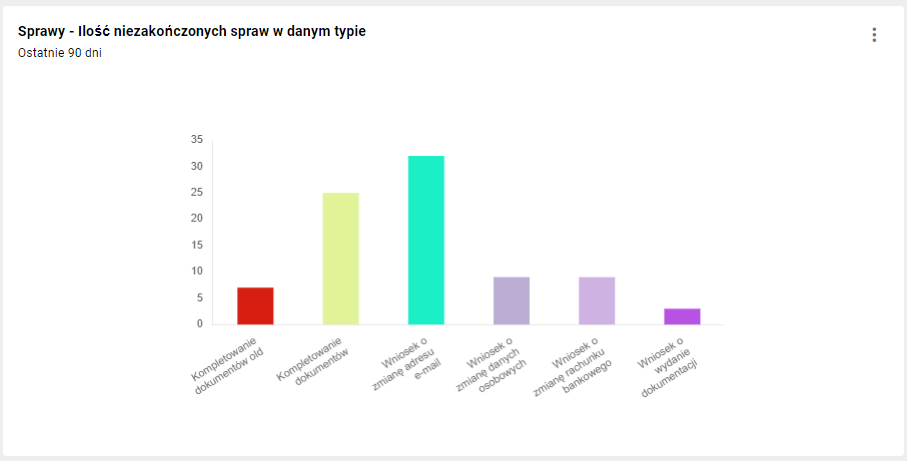
This widget displays the number of unfinished cases in a given type in the form of a bar chart.
Cases – Number of cases at a given stage
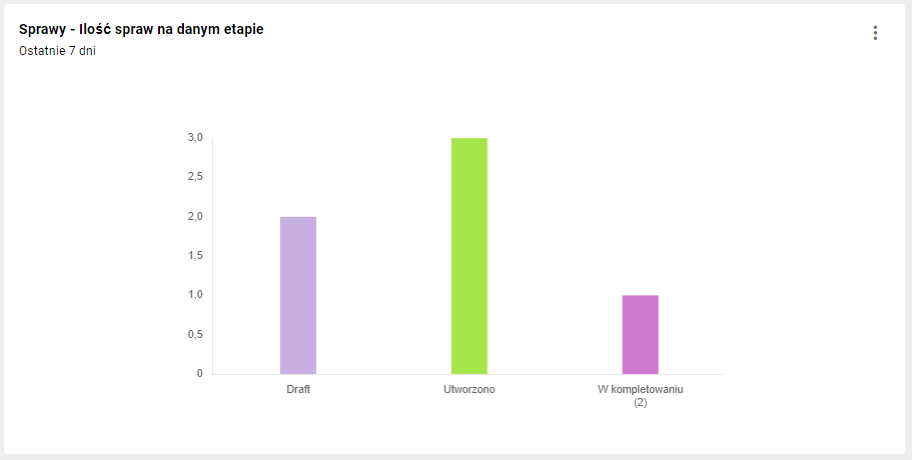
This widget displays the Number of cases at a given stage in the form of a bar chart.