Functionalities
Main functionalities of the “Candidates” module
The "Candidates" module is used to handle recruitment processes, among others: to:
– collecting Candidate data,
– generating documents for employment,
– creating boardings.
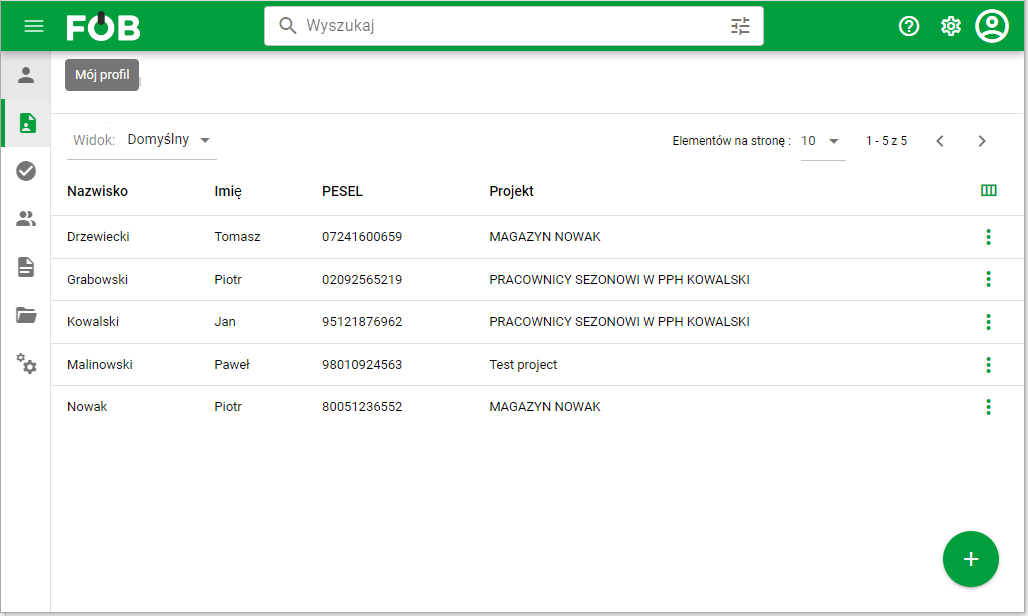
_Fig 1. List of Candidates _
The Candidate's data preview is divided into thematic sections, i.e. Candidate's basic data, workplace data, address data, Boardings.
The side panel available on the right side of the screen allows quick navigation through sections. In the second tab of the panel, the history of changes made to a given record is available.
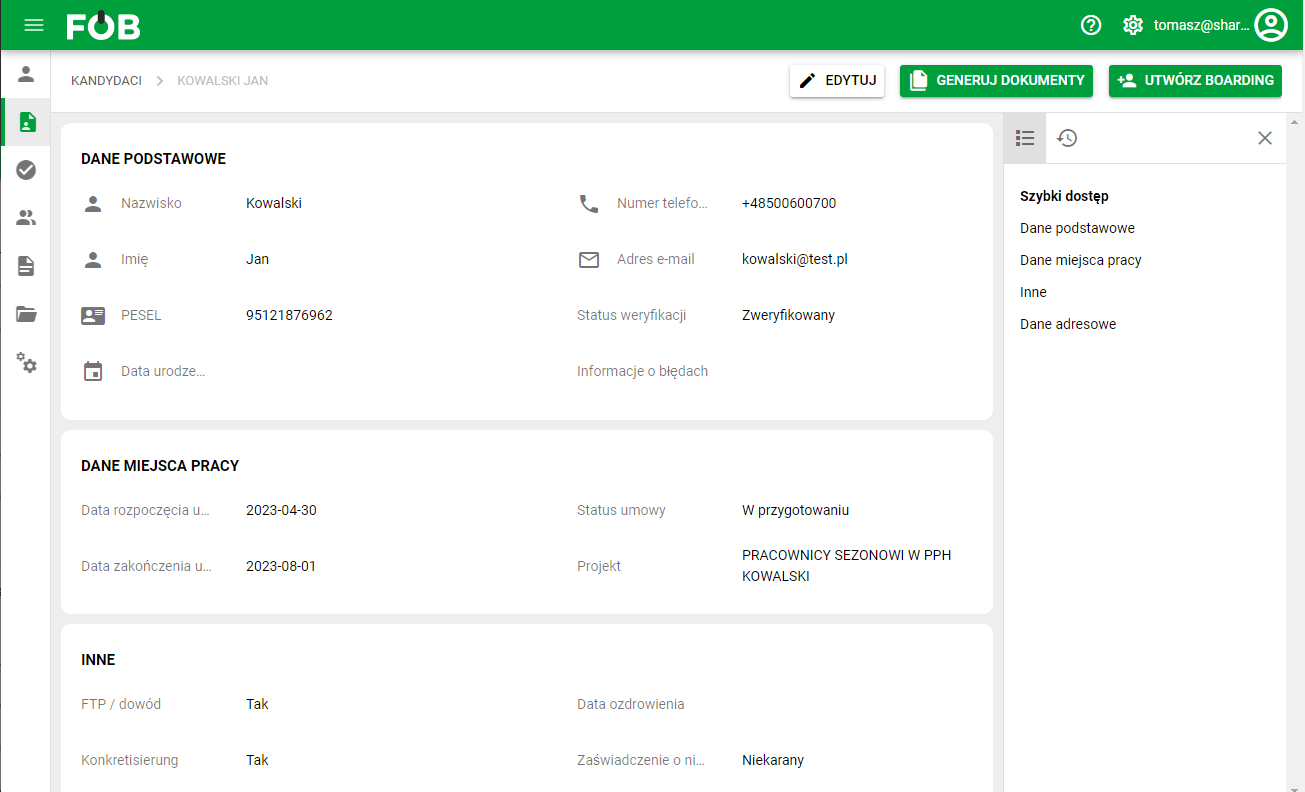
_Fig 2. Candidate's data preview _
How to perform Candidate boarding
In the preview window of the selected Candidate, select the "Create boarding" button.
In the displayed window with boarding data, the system will automatically complete the data downloaded from the Candidate's record and will block the possibility of editing it.
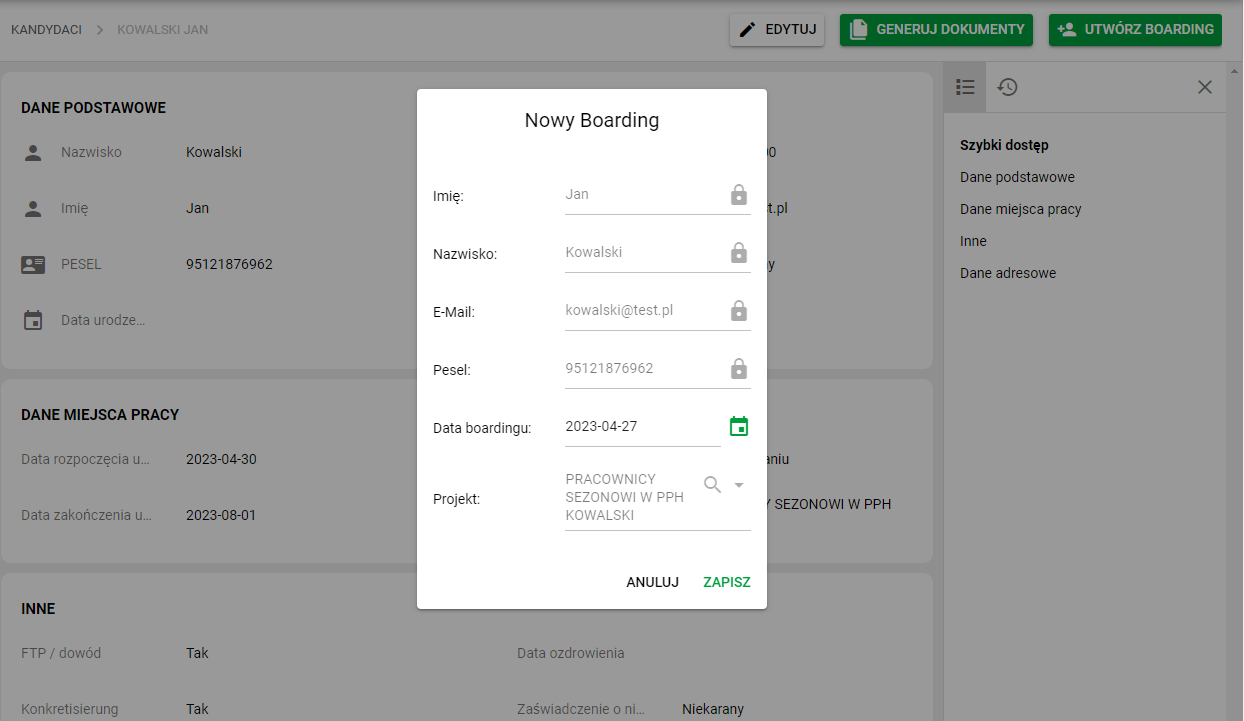
_Fig 3. Creating boarding _
Link a candidate to an existing employee
If a candidate already has an employee record, link the existing records instead of creating another person. Available actions depend on your permissions for the candidate and employee data.
- Open a saved candidate and choose the action to link an employee.
- If the system finds an employee using identification data, check the proposed person. Otherwise, select the person in the search dialog.
- Compare the identifier and personal details, not just the name.
- Confirm the link and check the assigned employee in the candidate's details.
When a candidate is already linked, creating another employee or linking again may be unavailable. If the link is wrong, use the unlink action where available and confirm only after checking the details. Unlinking removes the association with the candidate; it does not delete the employee record or their documents.