Completing documents
The CASES module is used to conduct tasks within specific types and templates of cases.
The AFFAIRS section is available on the related records tab (CANDIDATES) and as a stand-alone module.
The configuration of stages and forms for a given case is available in the administration panel in the MODULES section.
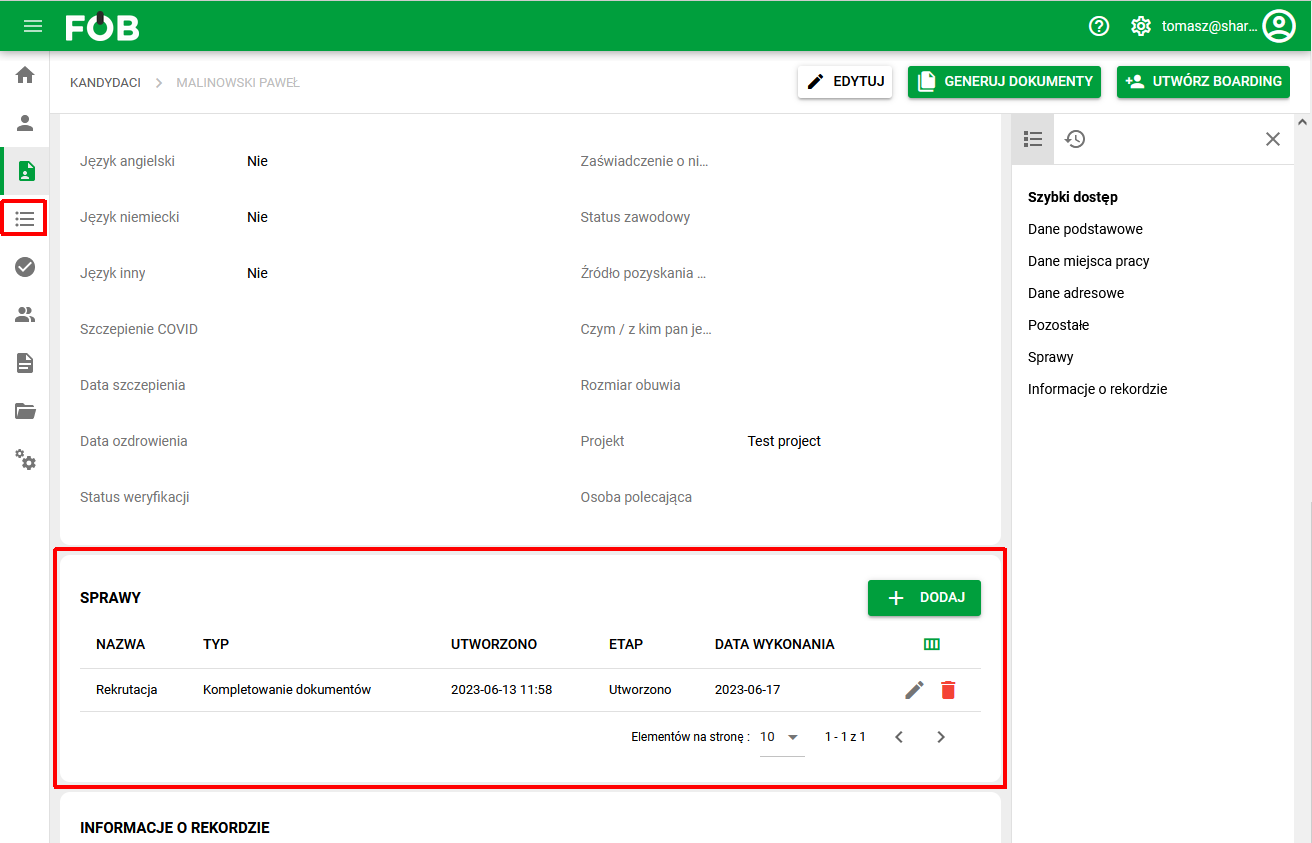
_Fig 1. Affairs Section _
Completing documents
As part of the types and templates of cases, the issue of completing documents is available.
It is used to conduct the process of completing documents for the candidate (e.g. personal questionnaire, referral for tests, invoice for tests, etc.), as well as collecting documents during employment (e.g. annexes to contracts, applications).
The document collection template has a built-in document generator that allows you to generate document templates with automatically completed candidate/employee data.
Create a new case
To add a case of completing documents for a candidate, in the cases section, select the ADD button and then complete the case details fields (window on the right).
Required fields:
- Name
- Type
- Candidate (data completed automatically from the record)
Optional fields:
- Case owner
- Date of execution
Note: whether the Candidate field is required depends on the setting chosen for the given case type by the administrator. In a standard document completion case the candidate is required. If the administrator set the case type as Candidate optional, the case can also be saved without indicating a person and completed later. This setting is described in the article Case types.
The STATE field is completed automatically depending on the stage of the case.
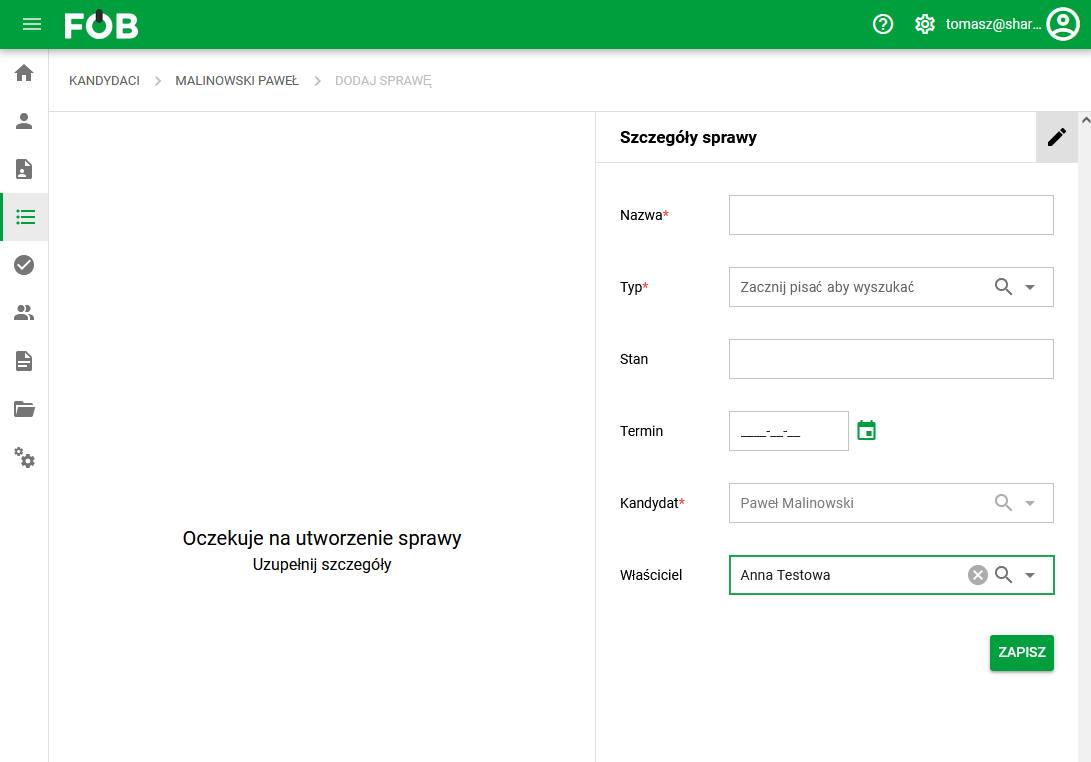
_Fig 2. Creating a new case _
After saving the case, a form with fields defined for each stage of the case will be displayed in the left window. Stages and stage forms are managed in the administration panel in the MODULES section.
For Completing Documents, a form will be displayed containing fields for managing files that are assigned to the case, commenting options (comment on a given document or collectively in the case edition) and actions for a given stage of the case.
Each document type assigned to a picking case contains a field for attaching a template, a field for the generated document and a field for feedback files from the employee.
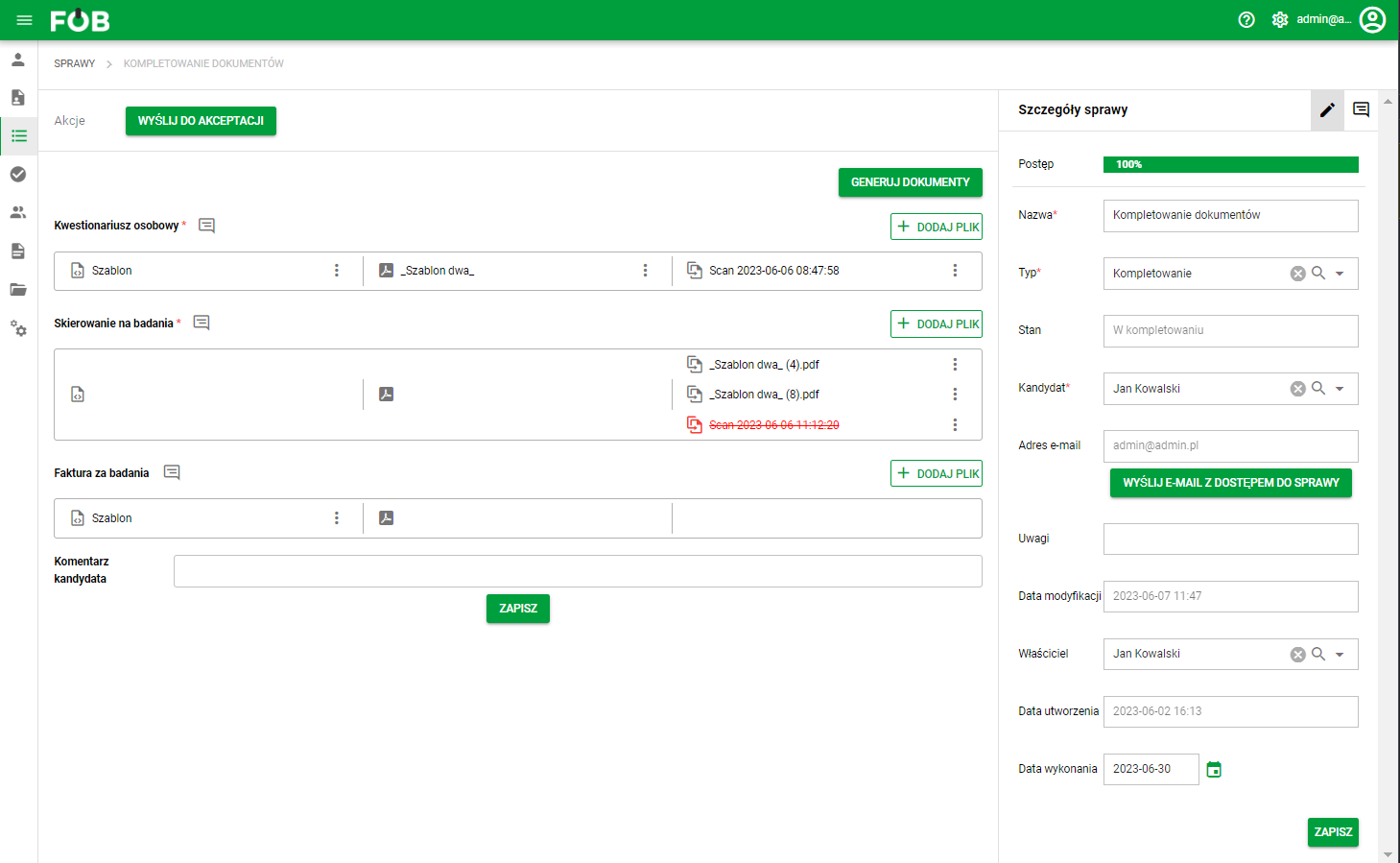
_Fig 3. Form for completing documents _
Generating documents for the case
For document types with assigned templates, document generation is required. The generator is described in a separate guide.
After generating the documents, the system will enable sending an e-mail with access to the case for the candidate ("Send e-mail with access to the case" button).
Sending such a message is possible only when the case has a candidate assigned. If the case was created without indicating a person, the system will ask you to fill that in first – otherwise there is nobody to send the link to.
After clicking the link received in the e-mail message, the candidate will be automatically logged in to the system and redirected directly to the case related to that message. There is no need to manually search for the case in system lists.
After the access email is sent, a confirmation appears beside the button.
Case actions
Sign with a facsimile after opening a case link
A candidate can sign with a facsimile if that method is configured for the document and the current case stage. A case link does not make every signing method or other cases available.
- Open your own link from the message and check that it is the correct case. Do not forward the link to another person.
- Read the document that needs signing.
- If facsimile signing is available in the signatures section, choose it and follow the signing dialog.
- Check the document status before performing the next process action, such as accepting the case.
If the signing option is unavailable, contact the process owner. The document type or stage configuration may be the reason; reopening the link does not grant more permissions.
Move to the next stage
Above the form, the available case actions depend on its current stage. For example, TO CORRECTION or ACCEPT may be available after the candidate has attached the required files and completed the document collection.
Actions, as well as stages and forms for stages, are configured in the administration panel of the eFOB application.
Notes
The application allows you to add notes at the collective level of the case or to a given type of documents (notes added to a specific type will also be saved at the collective level).
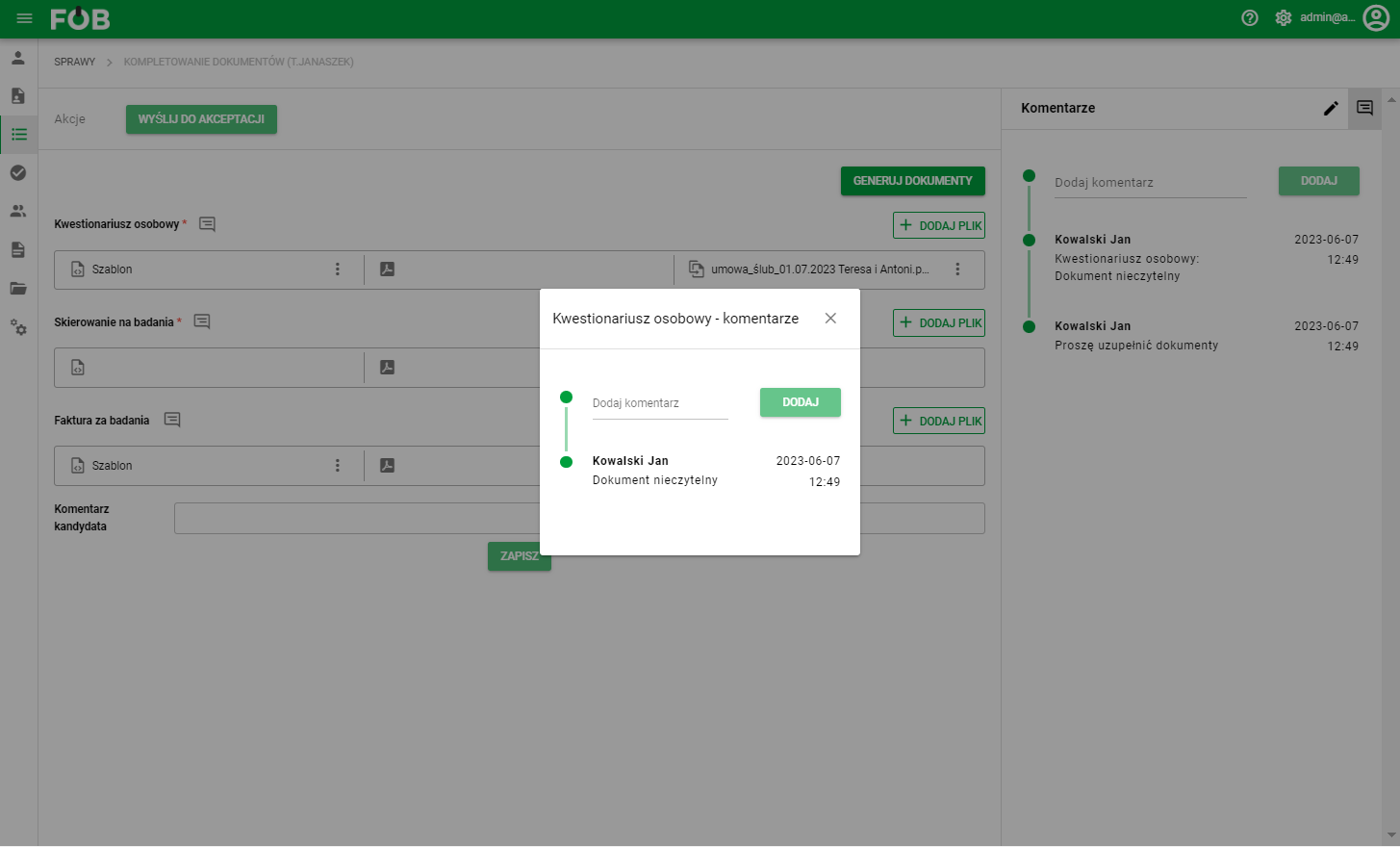
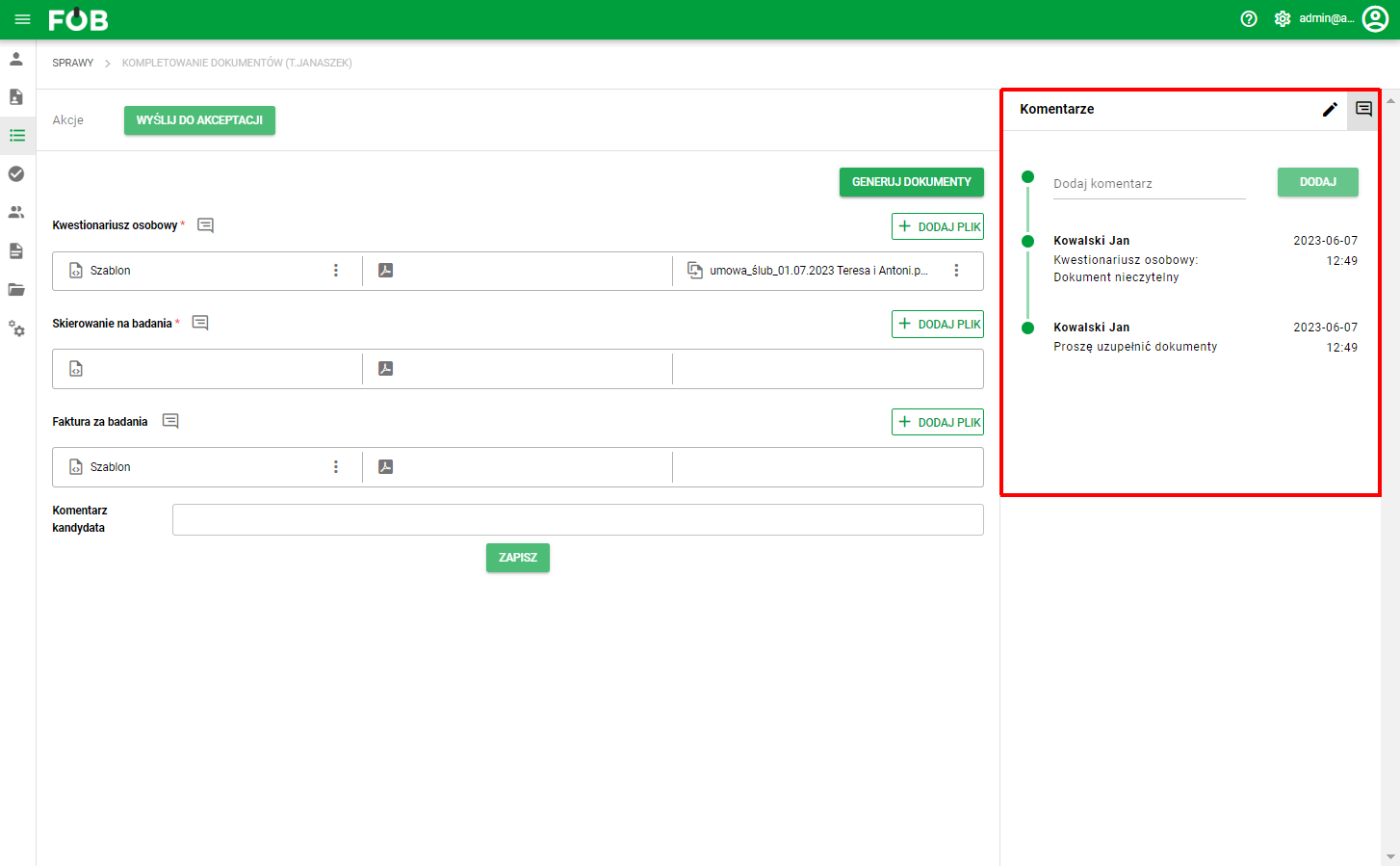
_Fig 4. Notes view _