How does the document generator work?
The generator enables mass issuance of documents for many employees at the same time based on selected document type templates.
Depending on the document, the generator will complete the employee's data such as: name, surname, PESEL number, project, date of birth, place and date of issue of the document.
How to run the Document Generator?
To run the Document Generator, select selected employees in the "Boarding" module and select the "Generate documents" button.
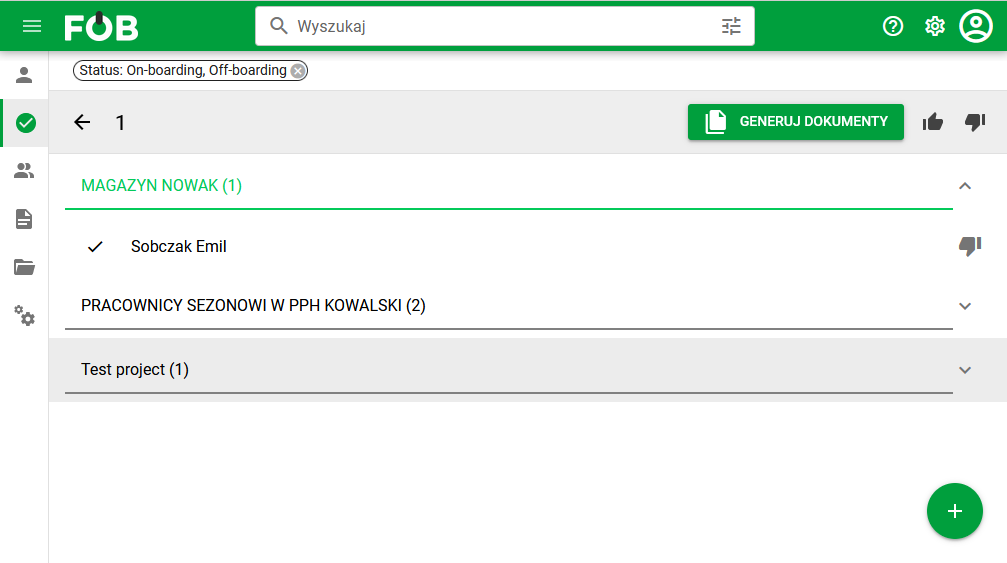
_Fig 1. View of the "Boardings" module _
In the search window, indicate the document type and template for which the system is to generate documents. For this purpose, you can use the option of selecting a previously saved template or search for individual types by selecting: – Date of issue – based on it, the system will determine the appropriate document type template – The folder in which the document type you are looking for is located – Document type – Template version
The system allows you to add many types of documents to generate.
A list of selected document types will be added to the "Selected for generation" window.
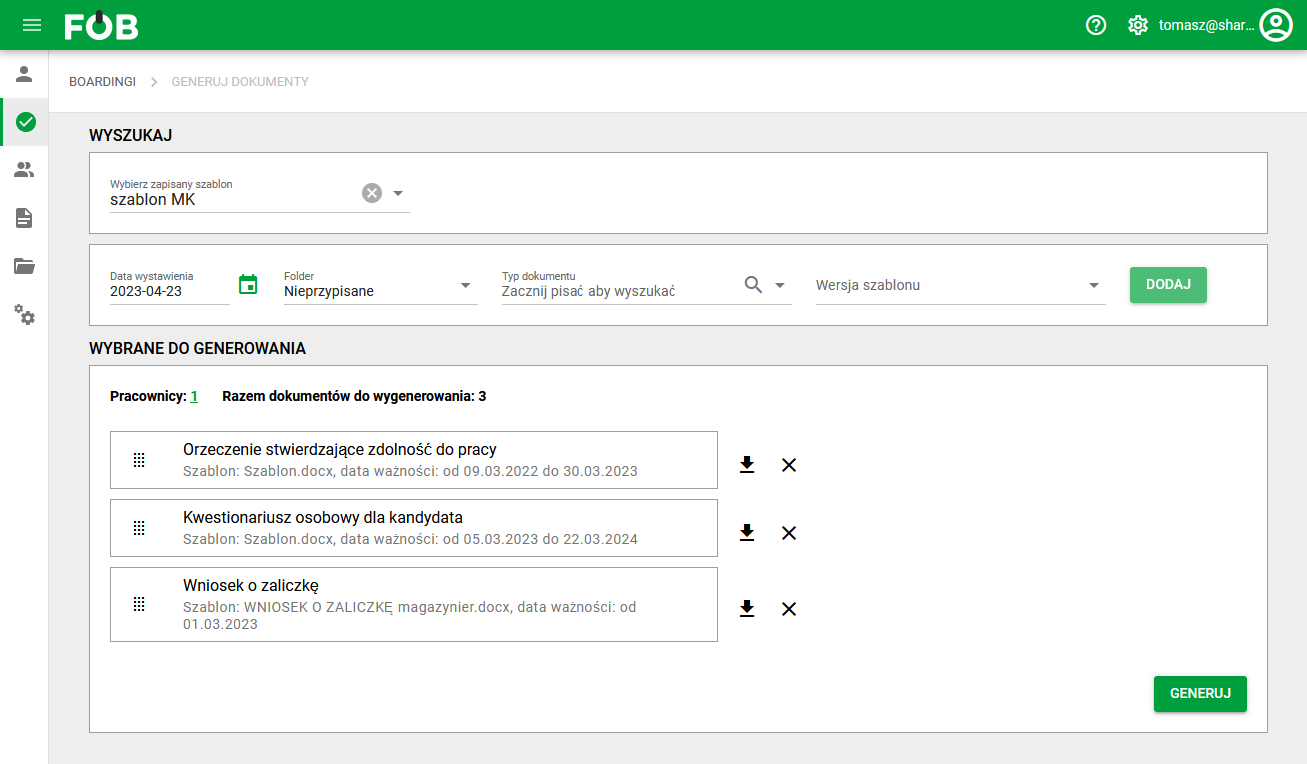
_Fig 2. Generator window _
Generating documents
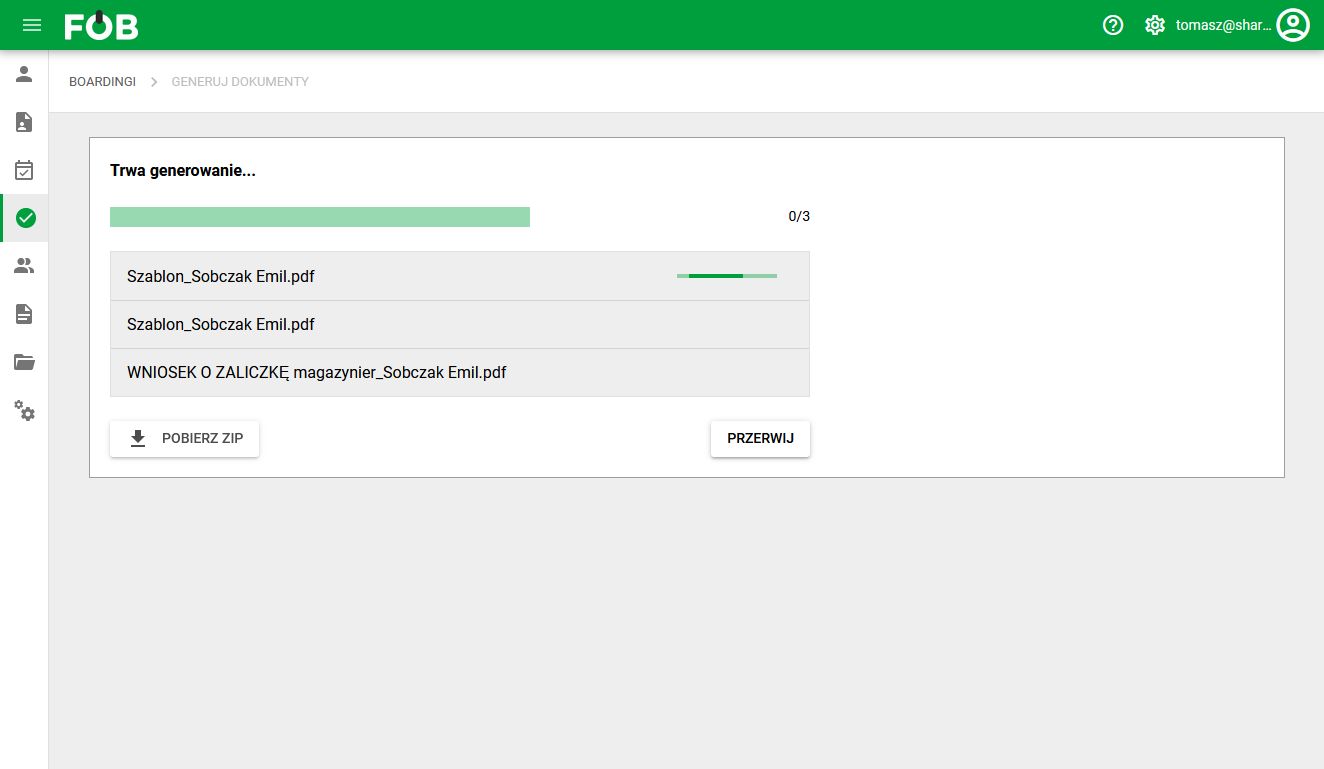
After clicking the "Generate" button, a window will appear showing the progress of generating the selected documents. After generation is completed, the system will display the status and enable bulk downloading of documents to ZIP.