Data access permissions (DS)
⚠️Note: Option available ONLY for eFOB Enterprise packages.
Introduction
Data access permissions allow you to define the scope of data to which the user has access within individual modules.
DS roles are included in the Effective permissions panel. This allows administrators to check not only whether a user can see a module, but also which records and actions are available after DS roles are combined with MDL roles.
In the Records tab of the analysis panel, administrators can see example records available to the user in a selected module. In permission details, the system indicates whether access comes from a DS role, MDL role or another source.
Adding a role
To add a new DS role, go to the permissions module and click the "Plus" button under the "Data Access Roles" section. The following form will be displayed with the option to modify individual permissions:
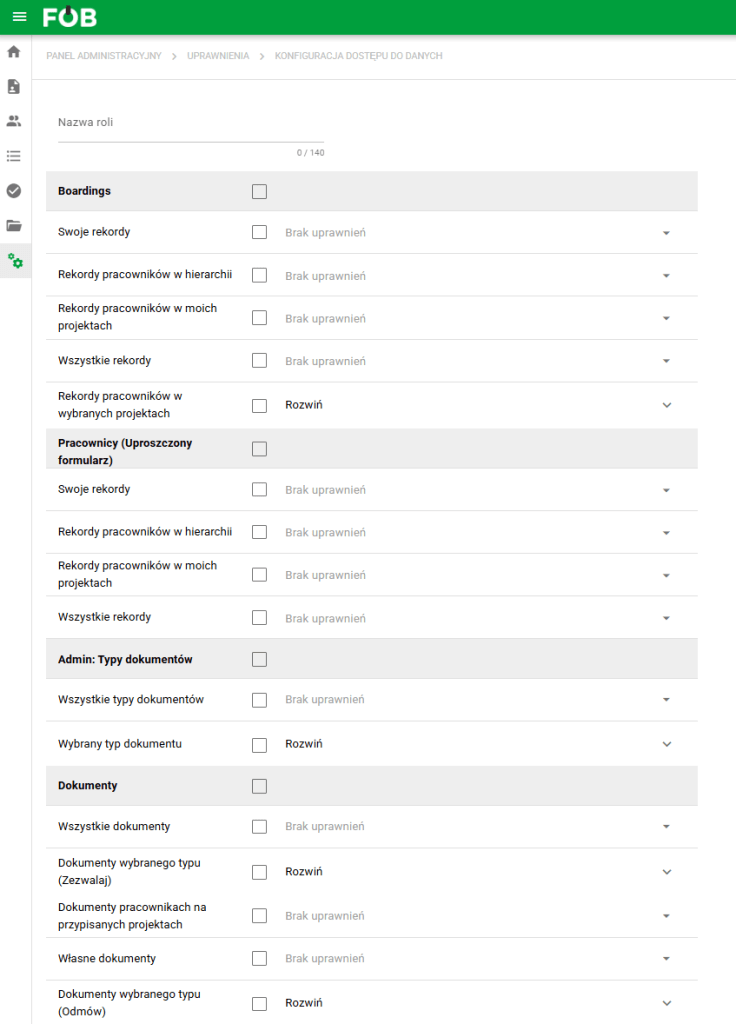
DS Role Configuration Form
Each new role must have a unique name.
Granting and denying permissions
To assign permissions to a role, expand the menu at the level of individual data areas and select the appropriate items.
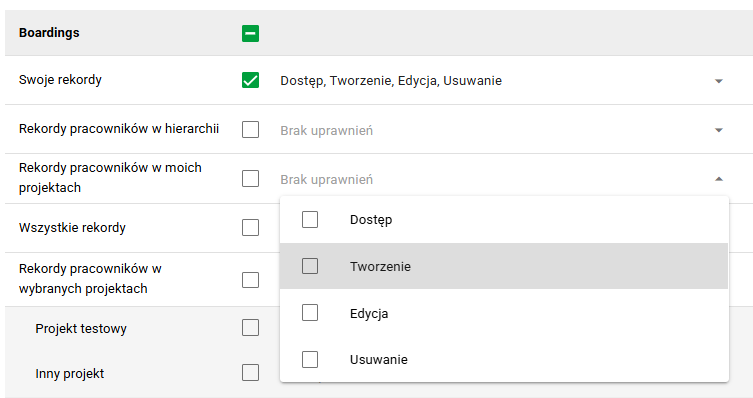
In some modules it is also possible to indicate which data areas the user should not have access to. In the appropriate permissions section, select “Deny”.
Example
For the "My Documents" module, we want to allow the user access to all documents assigned to him, excluding documents of a specific type. We can achieve this goal by selecting access in the "All own documents" section, and then in the list of document types, selecting "Deny" for the record we are interested in. A red permission name that is crossed out means that it has been denied.
After saving this configuration, you can use Effective permissions analysis on a specific user to confirm that the denial is reflected in actual record access.
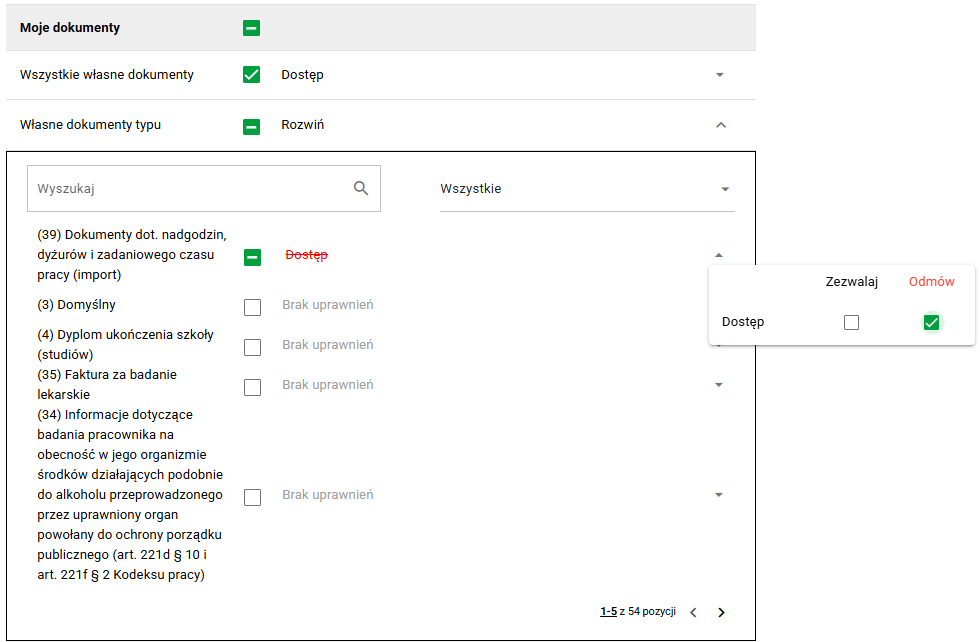
Granting and denying permissions for the “My Documents” section
Explanation of the meaning of each section
Below is a list of some of the sections available on the form explaining what area of data they cover.
- Employees (Simplified form) - applies to the scope of data displayed in the "My profile" view and the employee details view displayed after clicking on a given record in the "Boarding" module
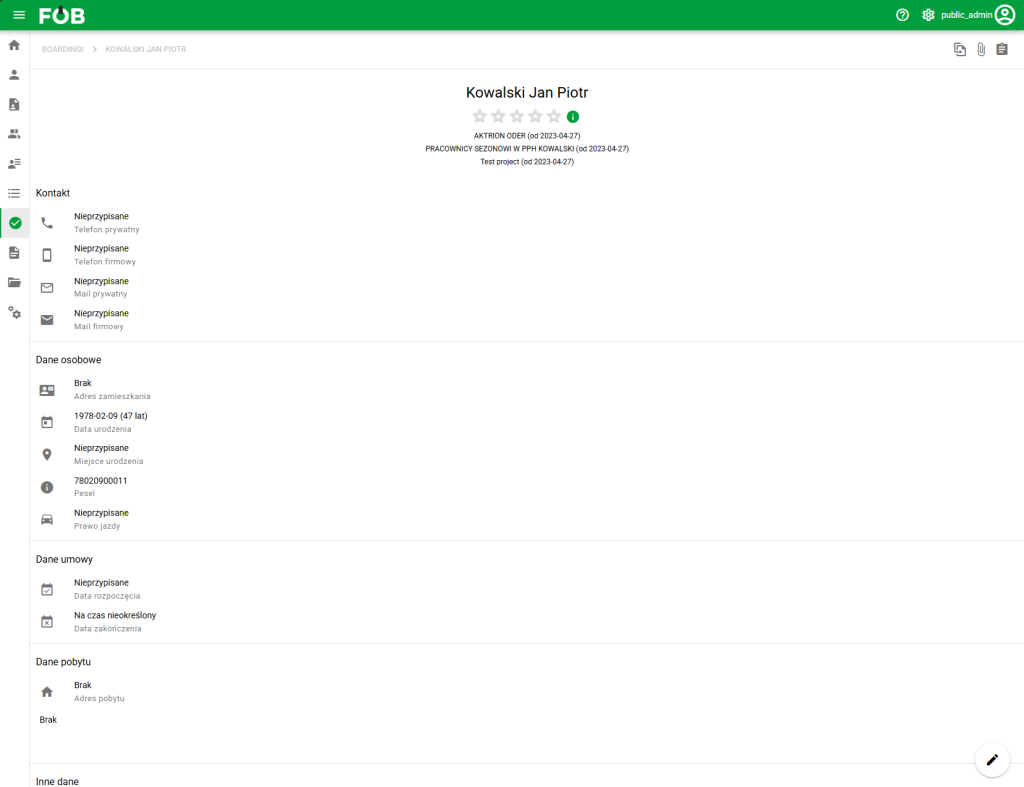
Employees – Simplified form- Employees (Full form) – applies to the scope of data displayed in the Employee adding/editing form in the "Employees" module
- Employees (Object assignments) – applies to data downloaded to employee form fields containing records from other modules (e.g. projects)
- Employees (Templates) – applies to views that save table data and filters in the "Employees" module (more about views in the article Views and columns in tables - eFOB)
- Documents (Folders) – applies to the list of folders displayed in the "Documents" module in the navigation menu
- Documents (Templates) – applies to views that save table data and filters in the "Documents" module (more about views in the article Views and columns in tables - eFOB)
- Candidates (Object assignments) – applies to data downloaded to candidate form fields containing records from other modules (e.g. addresses, projects, users)
- Candidates (Templates) – applies to views that save table data and filters in the “Candidates” module (more about views in the article Views and columns in tables – eFOB)
- Cases (Templates) - applies to views saving table data and filters in the "Cases" module (more about views in the article Views and columns in tables - eFOB)
- Cases (Object assignments) – applies to data downloaded to the case basic data form fields, containing records from other modules (e.g. candidates, employees, users)
- Cases (Notes) – applies to comments added for individual cases (at the general level and for individual fields)
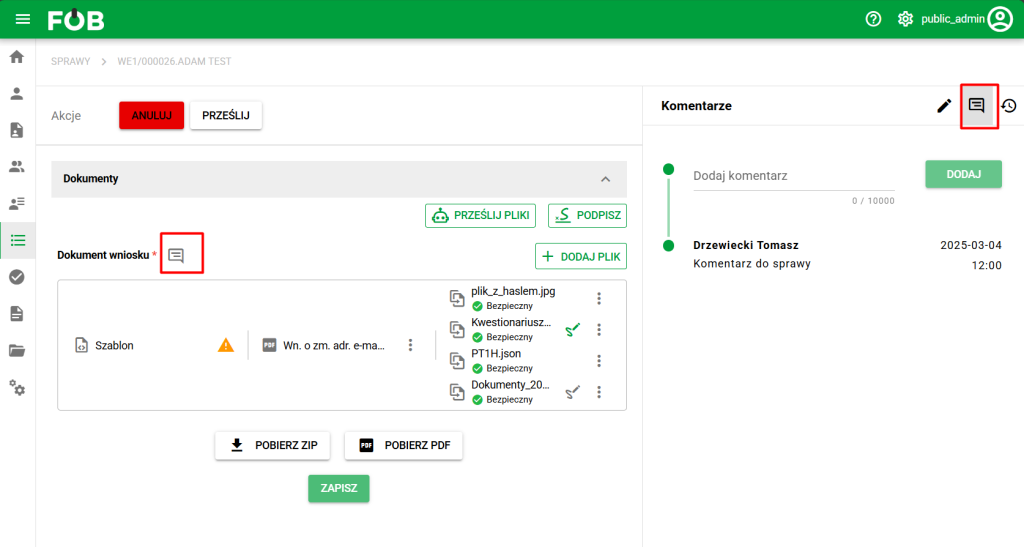
Case comments
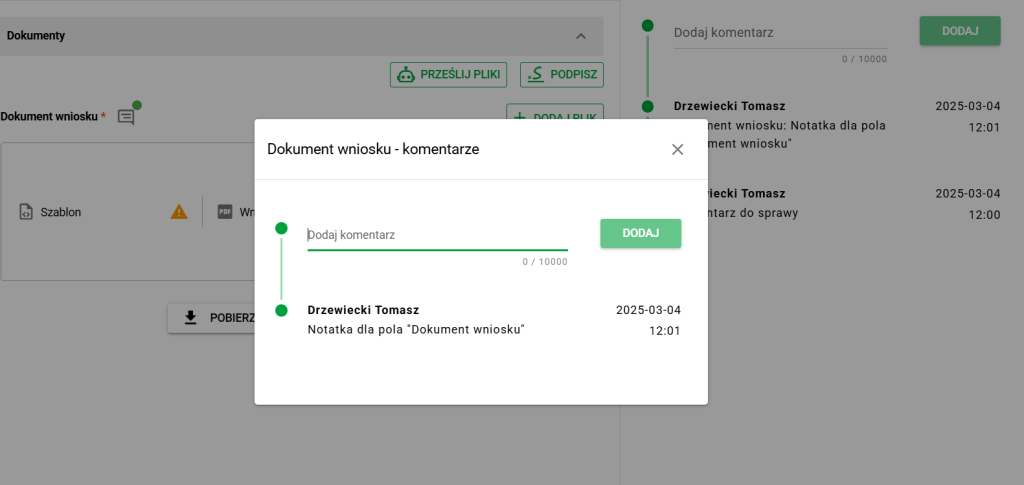
Case field comment
- Boardings – applies to views that save table data and filters in the “Boarding” module (more about views in the article Views and columns in tables – eFOB)
- Documents: Tasks - concerns the possibility of creating document import and export jobs in the "Documents" module