Document types – QR code generator
For efficient and effective digitization, we have implemented the functionality of generating QR codes for document types.
The generated QR codes contain information about the document type. Marking a document with such a code streamlines the process of processing it and adding it to eFOB.
Generating QR codes
The generation option is available in the Administration -> Document types section
The eFOB application allows you to print QR codes in two formats:
- A single QR code in PNG format - it can be inserted into the document before printing.
- A4 file in PDF format containing 96 codes to be printed on a sheet of self-adhesive labels 20mm x 20mm (Avery Zweckform 20×20-S) - to be glued to the printed document.
The generated code shows the abbreviated name of the document type.
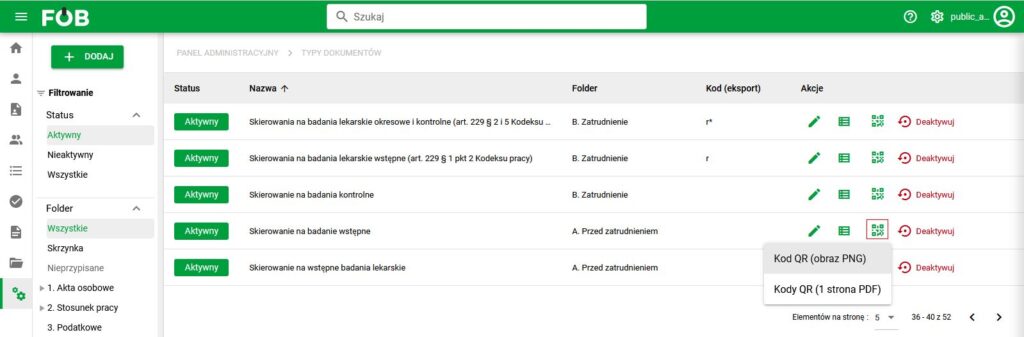
QR code generation button
Preview of the code document
The generated QR code should be placed anywhere on the first page of the document.
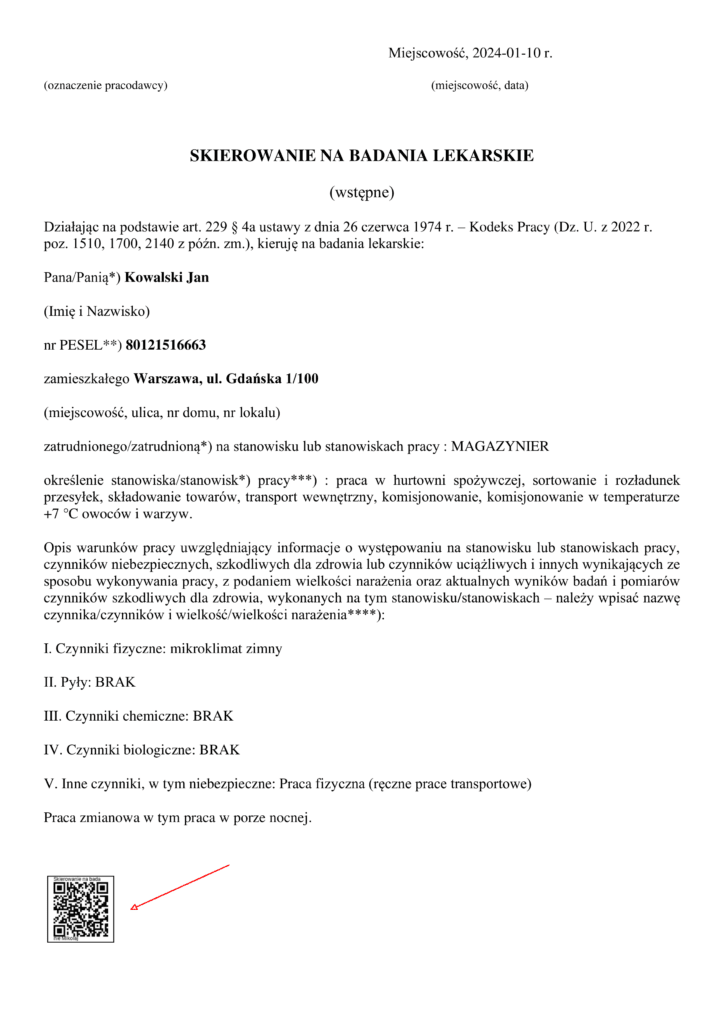
Example of placing code on a document
Note: To ensure correct reading of the QR code, its size on the document should not be smaller than 1.7 cm.