Project configuration
Access path
To access the projects, go to the administration panel and then select the following items:
Administration Panel -> Dictionaries -> Projects
Dictionary button
There is a Projects filter in the side menu.
After clicking on Projects, a list of existing projects will be displayed, if they have already been created.
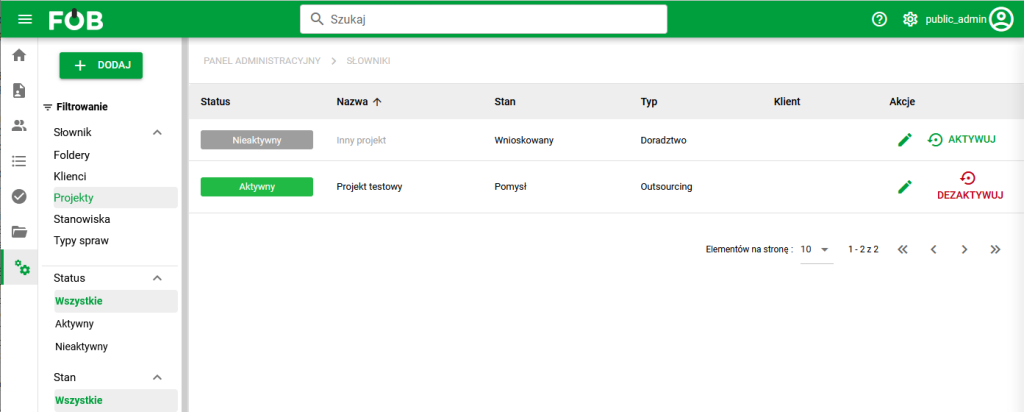
Projects. General view
Adding a new project
In the upper left corner of the side menu there is a ADD button. After clicking the button, a form for adding a new project will appear on the right.
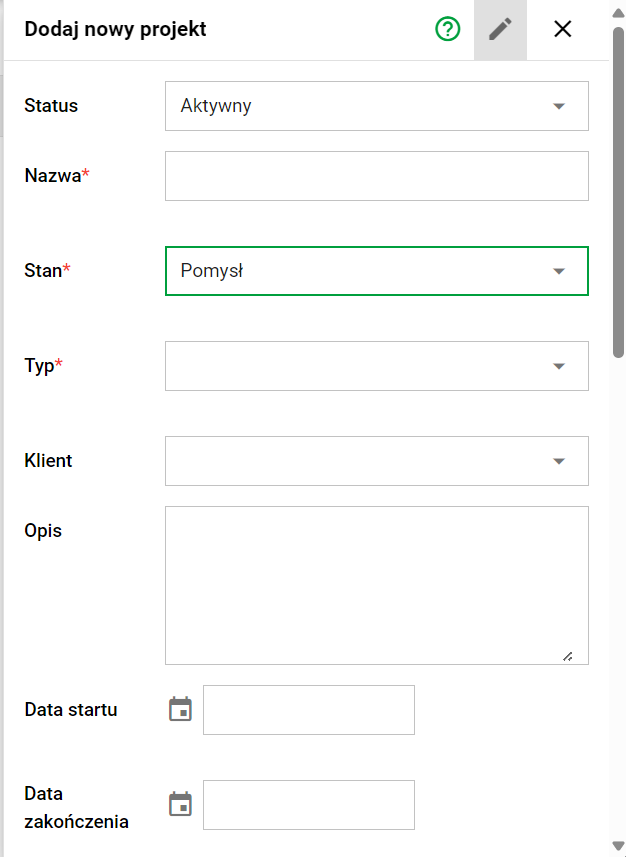
Project addition form
The form allows you to enter project details. To complete the form correctly, it is worth paying attention to system messages that will help you complete the fields correctly.
Important: To add a client to a project, make sure the client's status is "Active". Only customers with this status will be visible on the list.
After completing the form, press SAVE for the project to appear on the project list.
Sorting and Filtering
Sorting: In the project list, you can click on a column header to sort projects alphabetically.
Filtering: In the side menu, you can filter projects by status, state, type and client.
Actions
Editing and status changing options are available in the project list.
Editing the project: When you click on the pen symbol, a view will appear allowing you to edit the selected project.