List of administration modules
Zaktualizowano 2026-10-17
The administration panel is available at https://efob.app/#/admin-panel
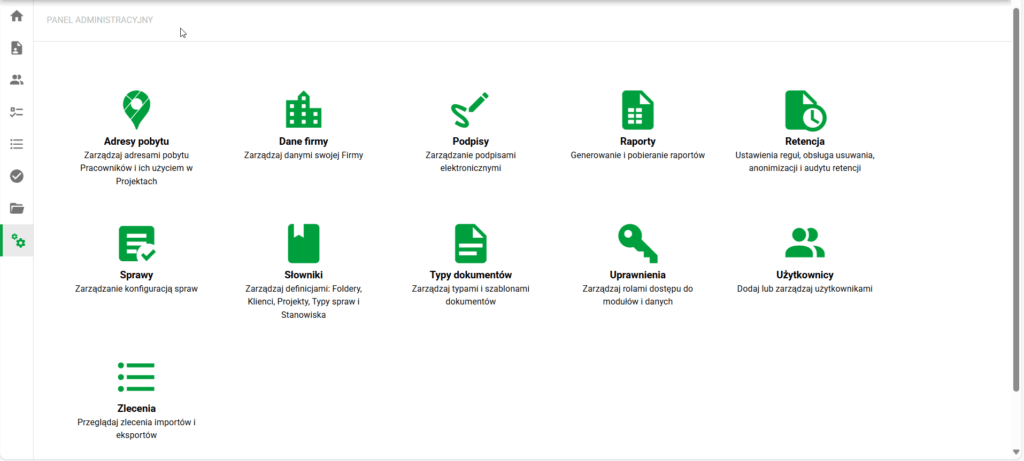
Administration panel
In the administration panel, available to authorized users, you can manage system settings:
- Residence addresses – management of dictionary addresses used in the Employee's residence address
- Company data – management of basic company data and settings
- Signatures – management of groups, types and statuses of electronic signatures
- Reports – generating reports with specific filters and downloading generated reports
- Retention – management of data subject to retention (documents, employees, candidates) and their settings
- Cases – Case management, including their configuration:
- Statuses
- States
- Passages
- Forms
- Types of documents assigned to them
- Signatures
- Notifications
- Dictionaries – definition management:
- Document types – adding new types from the Library and managing definitions:
- Document types – key type settings, including Folders and Retention
- Document templates - used to control settings and generate documents from data, e.g. of employees or candidates
- Permissions – management of permission groups:
- Modules – visibility and permissions of key modules and system functionalities
- Data – visibility and permissions of data records depending on the settings: my data/my employees/all
- Actual access control – effective permissions analysis shows the result of combining module roles and data access roles
- Users – user management, including assigning permissions and analyzing effective access
- Orders – management and access to processes that take a long time to complete (including document exports).