Schedules
eFOB admin is a module built into eFOB for managing data synchronization processes. Schedules is a screen that allows you to view and manage the schedules configured by the user.
With the scheduling feature, users can define when and how often data flows should be executed.
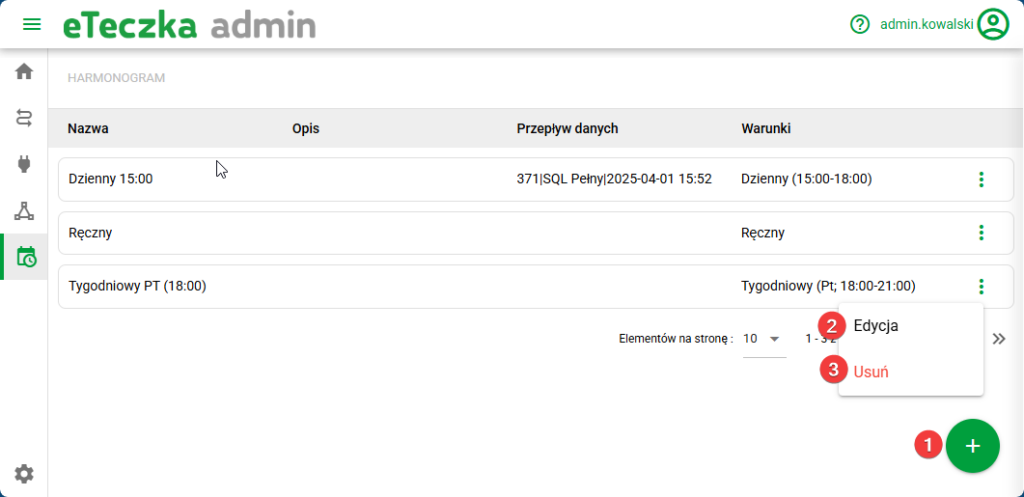
Schedule concept
Schedules enable you to create precise plans for executing data flows, tailored to the specific needs of your organization. The user can define the synchronization frequency, days of the week, time intervals and the validity period of the schedule. Additionally, there is an option to mark the process for manual execution.
Screen options
- Create new schedule – button to create new schedules described below. The option is also available in creating a new data flow.
- Edit – description below.
Create new or edit schedules
The Add/Edit SCHEDULE tab allows for detailed control over the conditions under which synchronization starts.
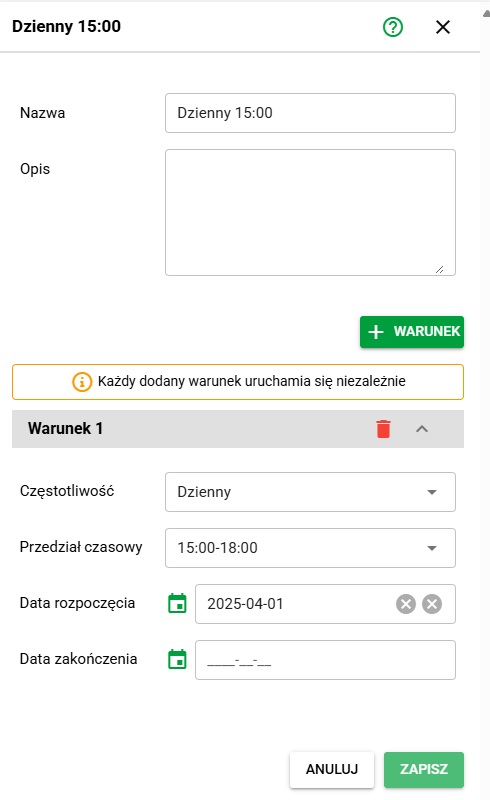
Daily schedule example
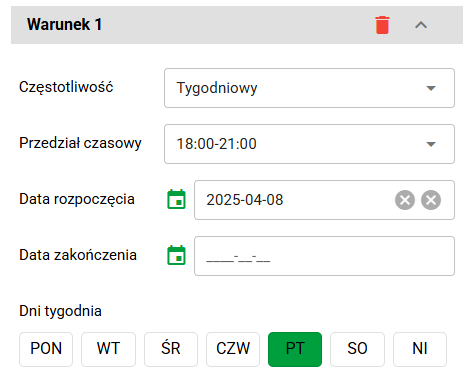
Weekly schedule example
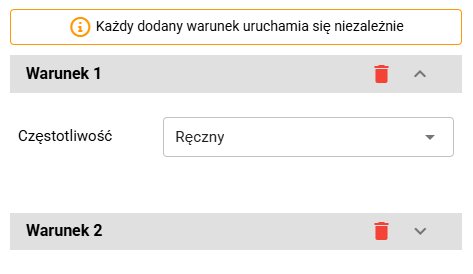
Example of a manual schedule with an additional Condition
Schedule options
- Conditions: there can be one or more conditions, they are triggered independently.
- Frequency: Manual / Daily / Weekly
- Time range: 00:00-03:00, 03:00-06:00, …, 21:00-00:00
- Start/end date
- Day of the week: Any day, only for Weekly option
NOTE: each added condition runs independently and cumulatively to the previous condition (example: schedule runs everyday between 06:00-09:00 and additionally at the end of the week on Friday between 21:00-00:00.